)
In e-commerce, acquiring new customers is more expensive than ever. If you want to scale profitably, you need to focus on customer lifetime value (CLV). A crucial, often underestimated lever in the Shopify ecosystem is the customer account.
It is a central touchpoint between your brand and your buyers. In this guide, you will learn how to create Shopify customer accounts, why these accounts have changed the market, and how to optimize the user experience from a technical perspective.
Table of contents
Are you planning to switch to the new Customer Account UI? Let's work together to determine which extensions make sense for your business model.
Advantages: Why you should create customer accounts in your Shopify store
Many retailers shy away from the hurdle of a login so as not to jeopardize the conversion rate at checkout. But the advantages far outweigh the disadvantages, provided the integration is seamless:
Faster checkout: When address and payment details are already stored in the account, your customers order much faster and more frequently. This increases their willingness to buy.
Better self-service: With a customer account, your customers can track the shipping status themselves, download invoices, or initiate returns (e.g., via 8returns) directly. This saves you valuable time in customer support.
Targeted marketing: Since all purchases are collected in one profile, you can tailor your email campaigns precisely to your customers' interests.
Exclusive content: Customer accounts are the basis for making special price lists or collections visible only to certain groups, such as B2B customers or VIPs.
Reading tip: Another exciting tool for your customer management is the new Klaviyo AI. We explain how you can use it successfully in CRM.
Important features for Shopify customer management
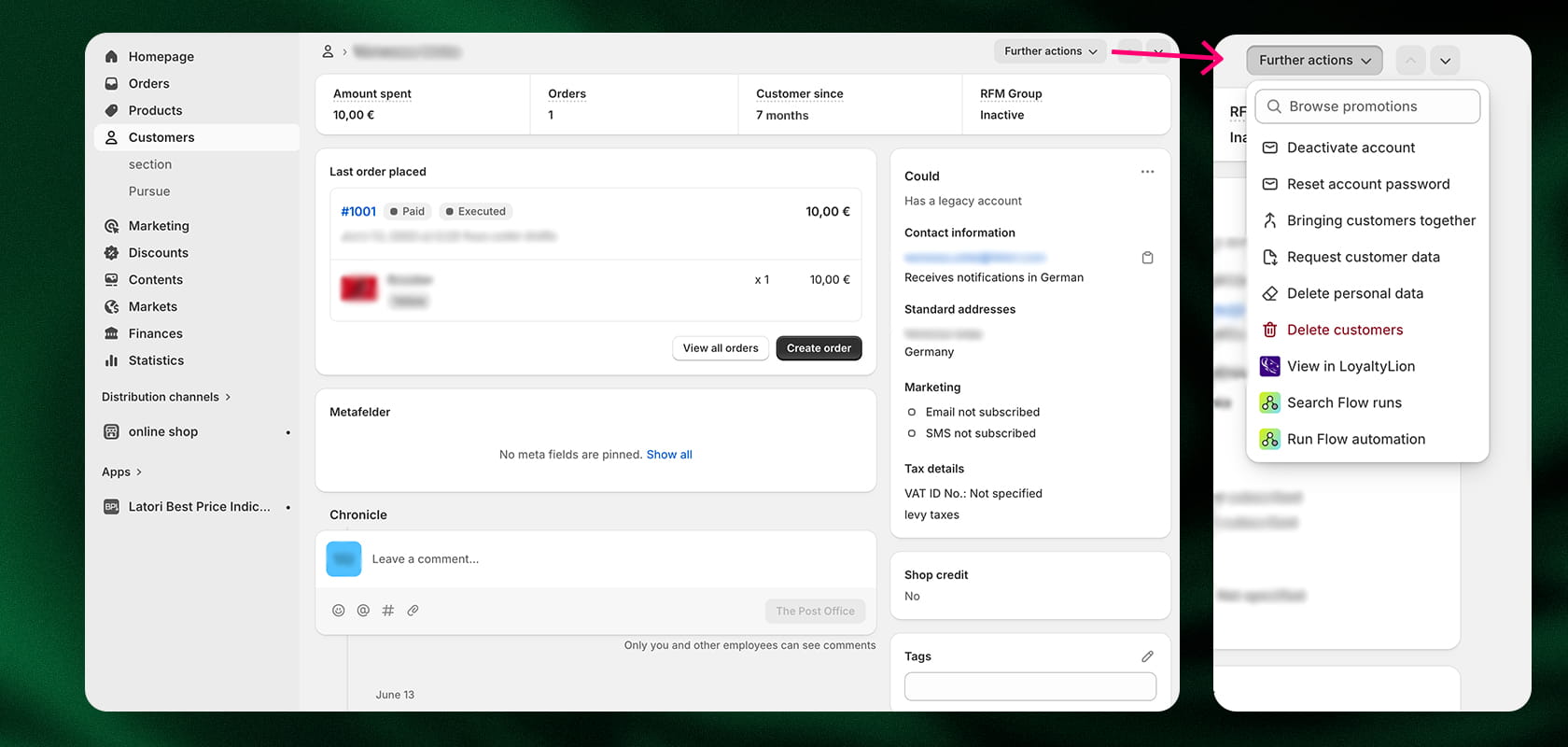
Customer management in the Shopify backend serves as a central control tool for your customer relationships. The most important native features include:
Segmentation and tags: You can tag customers (e.g., “VIP,” “B2B,” or “regular customer”) to grant automated discounts or create specific marketing lists.
Order history & analytics: At a glance, you can see the customer lifetime value (CLV), the number of orders, and the average cart size of each individual customer.
Manual editing: You can add to profiles, correct addresses, or leave internal notes for support.
Data protection tools: Shopify helps you process GDPR requests (such as information or deletion) in a legally compliant and uncomplicated manner directly in the backend.
Best practices: Customer accounts when switching to Shopify
Migrating from systems such as Magento, Shopware, or WooCommerce to Shopify is a critical moment for your inventory data. Since passwords are encrypted for security reasons, they cannot be transferred one-to-one. Here's how to best manage the transition:
Data import via CSV or app: Use tools such as Matrixify apps to transfer customer master data and order history cleanly.
The activation strategy for classic accounts: After import, the accounts exist in Shopify with the status “Disabled”. You must proactively invite your customers by email to activate their account and assign a new password.
For new accounts: The process is much smoother here. Since login is via a one-time password (OTP) sent by email, there is no need to assign a new password. Customers simply log in with their existing email address and are ready to go.
Timing & communication: Ideally, combine the invitation to activate the account with a small incentive (e.g., a discount code for the first purchase in the new shop). This way, you can turn a technical necessity into a positive marketing event.
Reading tip: Increase your conversion rate with the help of AI.
Classic vs. new Shopify customer accounts: Which is better?
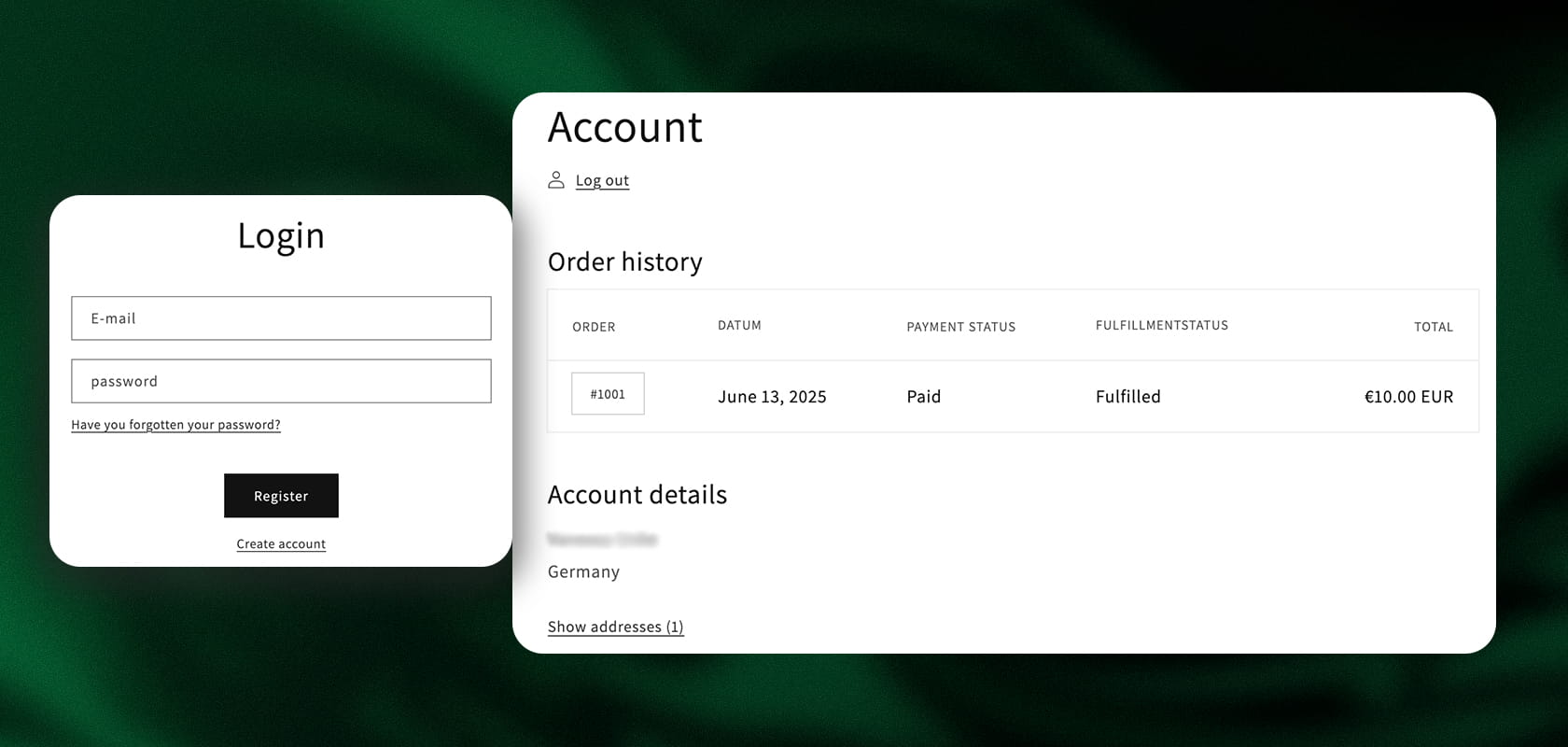
Shopify has fundamentally modernized its customer account system. Depending on your business model and technical requirements, you now have a choice between two models:
1. Classic customer accounts
This model uses the traditional combination of email address and password.
Advantages: You have complete design freedom. Since the pages are based on Liquid templates, we can customize the design 100% to your individual store theme.
Challenges: “Forgot password” requests are one of the most common reasons for support tickets. In addition, the hurdle for customers is higher because they have to remember another password. As mentioned above, migrating from legacy systems is more complex here, as each customer has to manually reactivate their account via email.
2. New Shopify customer accounts
This is Shopify's future-proof solution, which relies on a passwordless system. Customers simply enter their email address and immediately receive a six-digit verification code (OTP) via email.
Advantages: Maximum security and minimal friction. Since no password management is necessary, the login process almost never breaks down. The Shopify Customer Account UI is extremely fast by design and perfectly optimized for mobile devices. A big plus point during migration: Customers are immediately “ready-to-go” without having to go through a reactivation process.
Challenges: Visual customization is no longer done via the theme, but via the checkout editor. For a long time, the functions here were limited – but this is exactly where the new Shopify Customer Account UI Extensions come in.
To make your decision easier, we have compared the most important differences between the two systems:
| Feature | Classic Customer Accounts | New Customer Accounts |
|---|---|---|
| Login Method | Email & Password | Email, passwordless (6-digit code via email) |
| User Experience | Higher friction (remembering passwords) | Minimal effort (One-Time Password) |
| Design Customization | 100% via Liquid templates | Via Checkout Editor & UI Extensions |
| B2B Functions | Limited / Only via apps | Requirement for native Shopify B2B features |
| Migration | Customers must actively reactivate accounts | Customers can log in immediately |
| Security | Standard (risk with weak passwords) | Very high (no passwords necessary) |
| Mobile Optimization | Dependent on the chosen theme | "Mobile First" optimized by default |
How do you create customer accounts on Shopify? (Native vs. Custom)
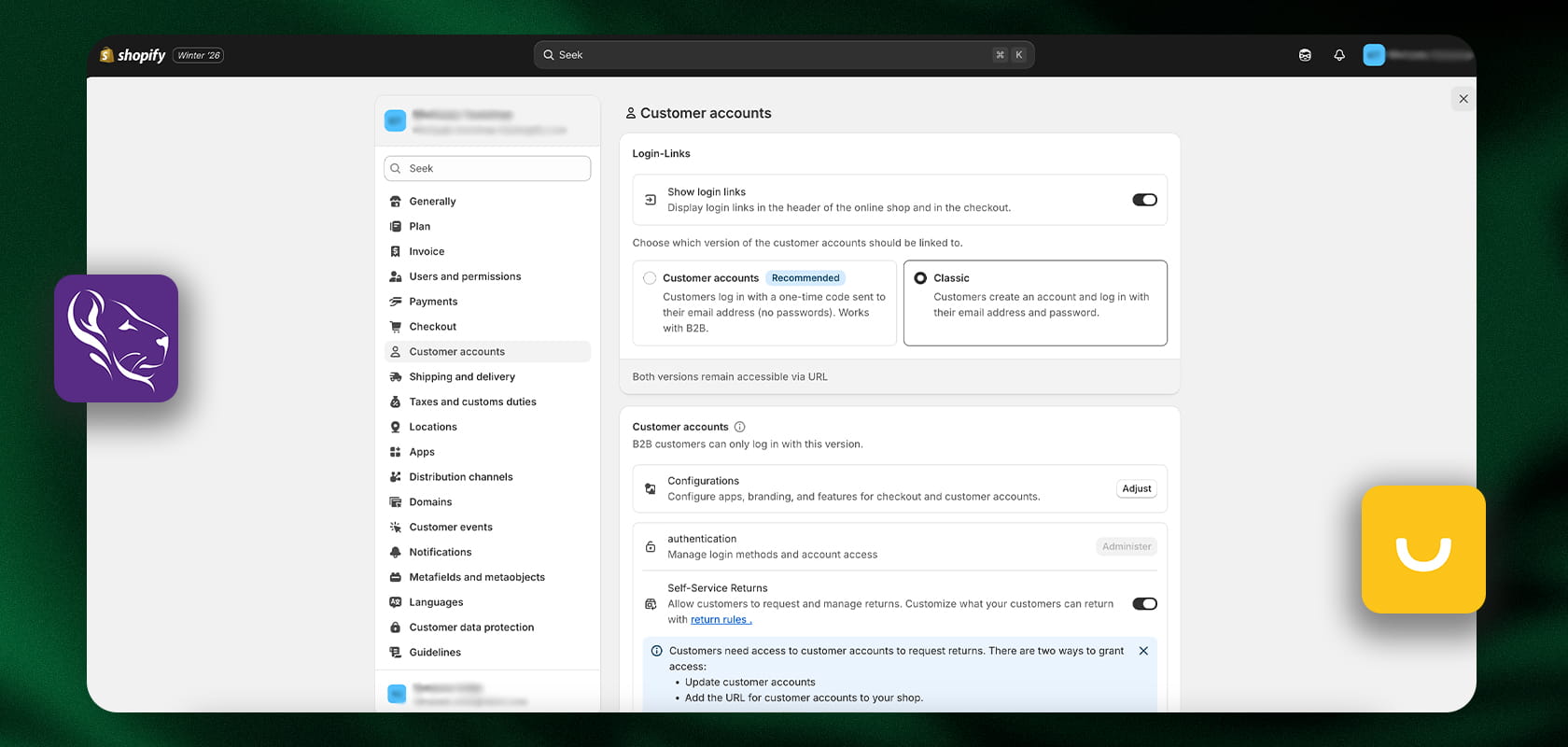
Customer accounts are set up centrally in Shopify, but the level of detail can vary greatly depending on the complexity of your requirements. We basically distinguish between the native standard and individual extensions:
The native approach: configuration in the backend
In your Shopify settings (Settings > Customer accounts), you can specify how restrictive access to your store should be. You have three options here:
Accounts disabled: Customers can only order as guests.
Accounts required: Checkout is only possible after logging in or registering (ideal for B2B or exclusive member stores).
Accounts optional: This is the recommendation for most D2C brands. Customers can quickly check out as guests, but after the purchase—for example, on the thank-you page or in the confirmation email—they receive an invitation to create a Shopify customer account. This allows them to track their order afterwards without interrupting the purchase process in advance.
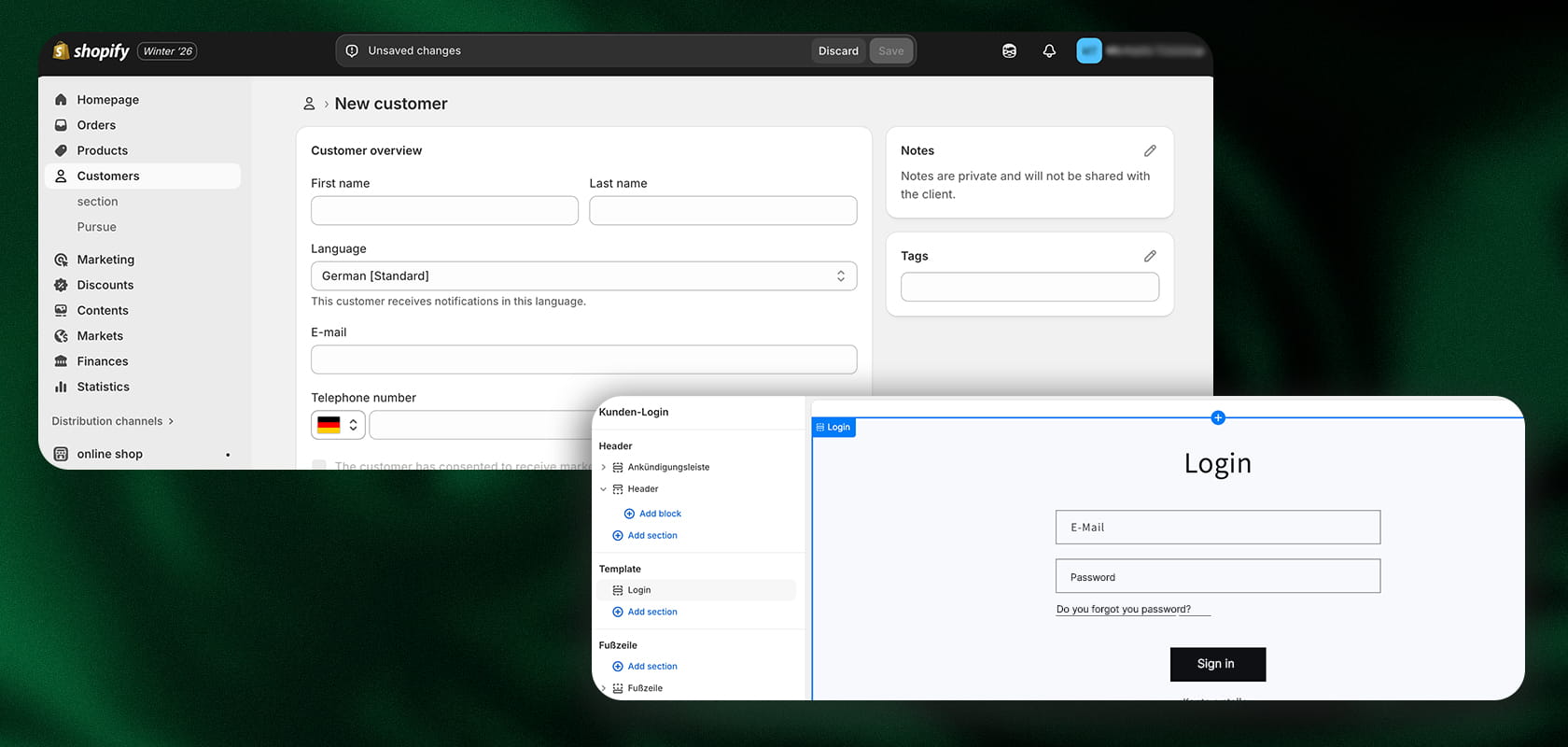
Step by step: Activating new customer accounts
The changeover in the backend takes just a few minutes. Here's how to make the new interface available to your customers:
Activation in Admin: Go to Settings > Customer Accounts.
Select mode: Click on Edit and select “New customer accounts.” Here you can also specify whether the login link is automatically integrated into the checkout and emails.
Define branding: Under Online Store > Themes > Customize, you can specify the logo and color scheme for the new account pages.
Domain check: Ensure that your primary domain is linked correctly so that the login process looks professional.
Invite customers: Use the “Send account activation invitation” function to inform existing customers about the new interface.
Reading tip: Click here for our free Shopify checklist for setting up your online store.
Extension via Shopify Customer Account UI Extensions
If Shopify's standard features are not sufficient to map your specific customer journey, Shopify Customer Account UI Extensions can be used. This is a modern developer interface that allows us to specifically extend the new customer interface.
The new account pages used to be largely limited in terms of customization. However, extensions now allow us to integrate tailor-made blocks directly into customer profiles.
Typical use cases for UI Extensions:
Loyalty integration: Display loyalty points (e.g., from LoyaltyLion or smile.io) directly in the account area.
Additional information: Add fields for date of birth, preferences, or company information.
Custom CTAs: Integrate buttons for quick repurchasing or personalized product recommendations directly into the account dashboard.
The big advantage: These extensions do not compromise the stability or updateability of your store. There is a clear separation between the core logic of Shopify and your individual design.
Conclusion
Setting up a Shopify customer account is much more than a technical requirement; it is a strategic decision for long-term growth. While classic accounts offer flexibility, the new passwordless accounts in combination with UI extensions are the new standard for user experience and security.
Would you like to customize your customer portal or are you planning to migrate to Shopify Plus? As experts in complex Shopify architectures, we would be happy to help you. Contact us today.
FAQ: Frequently asked questions about Shopify customer accounts
Can I automatically transfer customer accounts when switching to Shopify?
Yes, you can import customer data. But please note: passwords cannot be migrated for security reasons. With classic accounts, customers must activate their Shopify customer account by assigning a new password. With the new accounts, this step is not necessary, as login is simply done via email code.
How can a customer delete their Shopify customer account?
Shopify does not natively offer a “delete” button for customers in the frontend. Customers must contact support. As a merchant, you can then delete or anonymize the profile in the backend under “Customers” (GDPR-compliant).
What is the Shopify Customer Account UI?
This is the standardized user interface for the new accounts. It is optimized for performance. With Customer Account UI Extensions, we as an agency can customize this interface without having to program a completely separate system.
Can the creation of a customer account be mandatory?
Yes, in the settings under “Customer Accounts,” you can select “Require sign-up before checkout.” This allows you as a merchant to decide whether customers must sign up to make a purchase. This is particularly useful for B2B stores, but rather uncommon in B2C.
