)
Mobile shopping has long been part of everyday life. The WhatsApp Shop therefore offers retailers the ideal opportunity to establish a direct sales and communication channel via Germany's most widely used messaging app. With an average of 38 minutes of daily use and over 90% of consumers willing to use WhatsApp for business communication and advice, retailers can reach their customers directly in their everyday lives.
The Shop enables buyers to discover products, ask questions, and place orders seamlessly in chat. This integration of advice and purchase reduces friction, strengthens customer loyalty through immediate interaction, and is therefore a powerful tool for modernizing the customer journey and increasing conversion rates.
We'll show you how to use the WhatsApp Shop for yourself.
Table of contents
- What exactly is the WhatsApp Shop?
- Why is it worth setting up a WhatsApp shop?
- App or API: Which platform should I use?
- How to set up the WhatsApp Business app
- Creating the WhatsApp catalog (shop): Your digital storefront
- Step-by-step: Connect Shopify to the WhatsApp Shop
- WhatsApp for Shopify: The best apps for more conversions and sales
- The sales process: From inquiry to order
- Tips & tricks for the success of your WhatsApp shop
- Alternatives & criticism: What are the limitations of the WhatsApp Business app?
- Recommended WhatsApp integration apps for Shopify
- Conclusion
Do you need support in implementing a marketing strategy? We are happy to help, so please get in touch.
What exactly is the WhatsApp Shop?
The WhatsApp Shop is basically your digital storefront right in the chat app, consisting of a digital product catalog and an integrated shopping cart or order function. The core functions are simple: retailers create their products there with images, descriptions, and prices. This function, whose catalog feature was already introduced internationally at the end of 2019 and whose basis, the WhatsApp Business app, has been available to companies since 2018, has an enormous global reach, with millions of users worldwide viewing these catalogs every month and integrating the messaging app deeply into their everyday lives. Interested customers access the offer via a shopping button or catalog link, can view products, place them in a virtual shopping cart, and then send the order or inquiry as a message to the retailer. This process optimizes conversational commerce by combining product presentation and personal communication in a single step without redirecting the user to another website, using a communication method that consumers already trust.
Why is it worth setting up a WhatsApp shop?

The WhatsApp Shop is an effective tool that is revolutionizing sales. It leverages the enormous reach of WhatsApp to build trust and personal connection. Customers can seamlessly discover products, add them to their shopping cart, and order directly via chat—simplifying the entire customer journey and answering questions in real time. For SMEs, the Shop is a fast, cost-effective entry point into mobile commerce thanks to the free WhatsApp Business App, which immediately improves efficiency and organization.
The most important advantages at a glance:
High reach: Direct presence in the most widely used communication channel for customers.
Trust & proximity: Personal 1:1 advice encourages willingness to buy.
Seamless purchasing process: Direct ordering from the catalog in chat (conversational commerce).
Cost-effective start: Low entry costs thanks to the free WhatsApp Business app.
Mobile-first: Optimal alignment with modern, mobile purchasing behavior.
Reading tip: How to optimize your online shop with WhatsApp marketing.
App or API: Which platform should I use?
The WhatsApp Business app serves as the basis: it provides all the necessary functions for operating a WhatsApp shop, from contact profiles and catalogs to automated responses. For companies with multiple employees, higher volumes, or a desire for automation and integration, the WhatsApp Business Platform (API) can also be considered. For many smaller shops, however, the app is perfectly adequate.
How to set up the WhatsApp Business app
Start by downloading the app on your smartphone (Android or iOS). After installation, verify your business phone number. Then complete your company profile: Name, address, website, opening hours, and a short description are recommended, as they create trust and professionalism.
You should also use the app's organizational tools:
Labels help you categorize customer inquiries (e.g., “New Customer,” “Order,” “Shipping Inquiry”).
Quick replies allow you to answer frequently asked questions with just a few clicks, ensuring efficiency and saving time.
Automated messages (e.g., out-of-office message, welcome message) and the broadcast function help you address customers professionally and consistently.
This creates a solid basis for your offering and structured inquiry and order management.
Creating the WhatsApp catalog (shop): Your digital storefront
The catalog is the heart of your WhatsApp shop. Create each product with meaningful images, clear descriptions, and price information. Optionally, you can add a link to an external shop if you also sell goods via a website.
Setting up your WhatsApp catalog: Quick guide
1. Open the catalog and add products
After downloading the WhatsApp Business app and setting up your profile, navigate to Settings (menu icon) and select Business Tools > Catalog.
Product creation: Tap Add New Item. Upload up to 10 images, enter a clear name, the price, and a detailed description. You can also use optional fields such as links to the product page or item codes (SKU). Then save the item.
Organization (optional): For better clarity, you can select Add New Collection in the catalog area to group products into categories (e.g., “Bestsellers,” “Seasonal Offers”).
2. Share your shop
Your catalog is immediately visible when customers visit your company profile, but you can also actively promote it:
Direct link: Use the share icon in the catalog section to copy a direct link to your entire store and use it on your website, in emails, or on social media.
Share in chat: Quickly send the entire catalog or specific products directly in a customer conversation using the paperclip icon (share menu).
In addition, you can create a “shopping list” or recommendation lists—e.g., seasonal offers, bestsellers, or new products. This makes it easier for customers to find what they are looking for and increases their willingness to buy.
Reading tip: Your guide to going live with Shopify Plus.
Step-by-step: Connect Shopify to the WhatsApp Shop
To connect Shopify for automated product synchronization and order management, you need to use the WhatsApp Business Platform (API), which is provided via a third-party app or a Business Solution Provider (BSP).
The most important steps are:
| Phase | Action | Details |
|---|---|---|
| Preparation | Connect Shopify with Meta | Install the Facebook & Instagram sales channel in Shopify to connect your store to your Meta Business Manager. This will automatically sync your products with the Meta Commerce catalog. |
| Integration | Select and install the WhatsApp app (BSP) | Select a specialized app (e.g., Wati, DelightChat) from the Shopify App Store. Install and connect it to the same Facebook Business Manager from phase 1 to activate your WhatsApp Business Account (WABA). |
| Automation | Configure synchronization and orders | Configure the app so that: a) the meta catalog is linked (to ensure that prices/inventory from Shopify are displayed on WhatsApp in real time). b) the order flow is automated: The customer's shopping cart on WhatsApp should automatically create a draft order in the Shopify admin and trigger the sending of a secure Shopify payment link to the customer in the chat. |
| Notifications | Set up status updates | Configure the app to send automated WhatsApp messages for critical events managed by Shopify (e.g., order confirmation, shipping/tracking updates). |
WhatsApp for Shopify: The best apps for more conversions and sales
You need an official Business Solution Provider (BSP) or a specialized Shopify app that uses the WhatsApp Business API.
Wati / DelightChat:
Focus: Specialized conversational commerce and shared team inbox.
Advantage: Excellent for automated creation of draft orders in Shopify directly from a WhatsApp shopping cart. Ideal for scaling sales and support.
Gupshup / 360dialog:
Focus: Highly scalable API solutions (BSPs).
Advantage: Preferred by larger companies due to its robust integration, high reliability, and management of massive Shopify-connected traffic volumes.
Klaviyo / Omnisend (via API):
Focus: Marketing automation and flow triggers.
Advantage: Sends automated sequences (such as abandoned cart reminders or shipping updates) via WhatsApp, triggered by actions in your Shopify store data.
The sales process: From inquiry to order
When prospective customers discover products, they can add them to their shopping cart and send an inquiry. This inquiry contains all relevant information: products, quantities, and prices, and lands directly in your WhatsApp Business chat.
There, you can get in touch with the customer: clarify questions about payment or shipping, send individual offers, or recommend additional products. Since communication and ordering take place in the same app, the process is straightforward and personal, which increases trust and conversion opportunities.
Since WhatsApp itself does not offer integrated payment processing, you can use external payment links or classic payment and shipping information, depending on your model. It is important that you inform customers transparently about payment terms, shipping costs, and delivery times.
Tips & tricks for the success of your WhatsApp shop
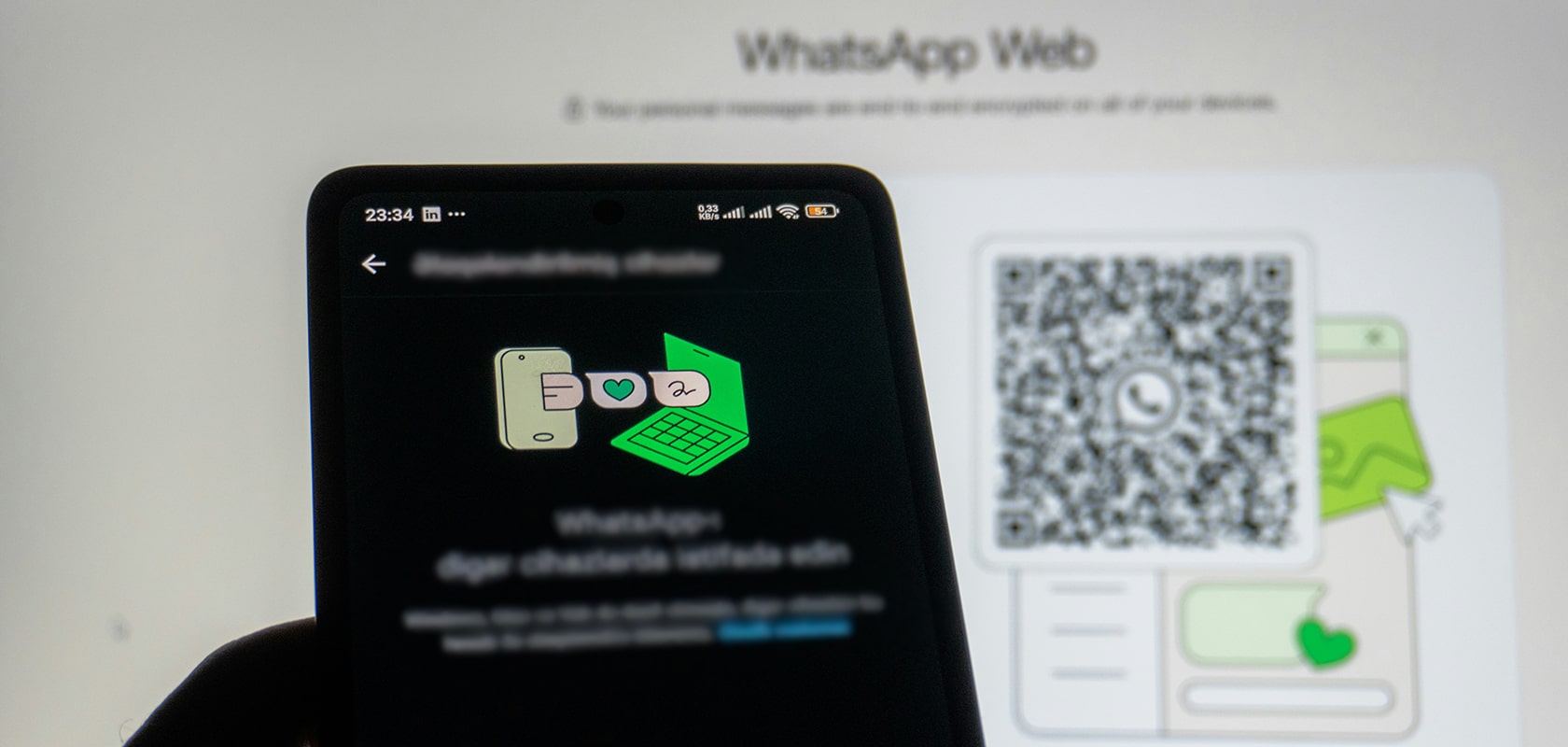
Focus on visible integration: Share your catalog or shop link prominently on your website, social media profiles, or in newsletters. Use QR codes for print or offline events to easily guide interested parties to your shop.
Communication after the purchase is crucial: send shipping updates, ask for feedback or reviews, and stay in touch to promote customer loyalty and trust.
Good shops are characterized by quick responses, professional product presentation, and honest, clear information. With personal service and active communication, you can set yourself apart from the anonymous standard.
Alternatives & criticism: What are the limitations of the WhatsApp Business app?
The WhatsApp Business app is primarily suitable for small to medium-sized shops with manageable order volumes. There are limitations for larger shops or companies with multiple employees: allowing multiple users to work on the account at the same time only makes sense with the API. In addition, catalog size and management options are limited, and with a large number of products or complex variants, it can quickly become confusing. Reporting, analysis, and automation functions are also less extensive than on professional e-commerce platforms.
If you want to grow in the long term, you should consider whether integration via the WhatsApp Business Platform (API) or even a classic online shop with a shop system makes more sense—especially if inventory management, multi-user support, or interfaces are required.
Reading tip: Find out everything you need to know about our services here.
Recommended WhatsApp integration apps for Shopify

Many companies are wondering whether a WhatsApp shop can be fully integrated into existing e-commerce processes—especially if they already use a system such as Shopify. The answer is yes, Shopify and WhatsApp can be connected, but not with a native standard function; instead, specialized third-party integrations are required. These tools automatically synchronize your Shopify product catalog with the WhatsApp catalog. This means that prices, images, descriptions, and availability no longer need to be maintained twice – Shopify remains your central system, while WhatsApp acts as an additional sales and communication channel.
However, it is important to note that in most cases, the actual checkout does not take place in WhatsApp. WhatsApp offers a shopping cart, but not a full payment process. Customers can add products to their shopping cart and send them as a request to your company. The final purchase is then completed via a link that leads directly to the official Shopify checkout. This ensures that payment, shipping data, taxes, and legal requirements are clearly displayed in the existing shop system.
For you, this means that manual effort can be significantly reduced through automation tools—such as automatic catalog synchronization, order confirmations, or shipping updates via WhatsApp. Nevertheless, WhatsApp remains a communication channel. Personal interaction cannot be completely avoided, especially when questions, individual requests, or advice are needed. Companies that use WhatsApp consciously choose more direct customer contact and benefit from higher conversion rates, personal loyalty, and a significantly lower purchase abandonment rate.
In short, WhatsApp can make many steps more efficient, but it does not replace the entire e-commerce checkout process. It complements it and offers you a low-threshold, personal way to accompany your customers throughout the entire purchasing process.
Conclusion
A WhatsApp shop is an excellent way to combine products and personal service in a mobile channel. For small and medium-sized businesses, it opens up a simple, flexible, and cost-effective sales platform without requiring a lot of technical effort. If you work honestly, transparently, and in a customer-oriented manner, WhatsApp can become an effective sales channel and help you connect directly with customers.
Need help? We would be happy to discuss your project and support you as a Shopify Platinum Agency. Contact us now.
Frequently asked questions about the WhatsApp Shop
Is using a WhatsApp shop free of charge?
Yes, the WhatsApp Business app and the integrated product catalog are free of charge. Costs only arise if you use an advanced solution via the WhatsApp Business Platform (API) or external payment providers.
Do I need a traditional online store for the WhatsApp store?
No, an additional online store is not absolutely necessary. You can sell products exclusively through the WhatsApp catalog. However, WhatsApp can also be easily integrated into existing stores.
How do I set up a WhatsApp catalog?
Open the WhatsApp Business app, go to “Business Tools” and select “Catalog.” There you can add products with images, descriptions, and prices, as well as create collections.
Can customers pay directly in WhatsApp?
Yes, in some countries. Features such as WhatsApp Payments for in-chat payments are available in markets such as India and Brazil. In most other regions, merchants send customers a secure payment link (e.g., from Shopify, PayPal, or Stripe) directly in the chat.
Does the shop also work with the normal WhatsApp Messenger app?
No. You must use the separate WhatsApp Business app or the paid WhatsApp Business Platform (API) to set up a catalog and use business features.
How do customers receive status updates on their orders?
With API integration, you can send automated, GDPR-compliant notifications via chat (e.g., “Order confirmed,” “Shipping number available”) triggered by status changes in your Shopify or ERP system.
