)
Launching a new theme or making extensive store customizations often involves a certain amount of risk. How will real customers react to the changes? Will the conversion rate plummet? Until now, only live A/B tests have provided reliable answers—which takes time and real traffic.
With a new “AI Research Preview,” you can now minimize this risk in advance. In this post, we’ll show you how the tool works and who can benefit from it.
Quick Insight: What is Shopify SimGym?
The Shopify SimGym app is an AI-based e-commerce testing tool for merchants, available as an AI Research Preview. The software uses artificial buyer profiles (AI personas) to simulate the clicking, navigation, and purchasing behavior of real people in an online store. This allows merchants to safely test conversion rates and UX design in a closed Shopify app testing environment before changes go live.
Table of contents
- What is the Shopify SimGym app?
- Key Features: How AI Shoppers Simulate Shopper Behavior
- Two Testing Methods in Detail: Theme Comparison vs. Individual Page Analysis
- Technical Requirements for Integration
- Step-by-Step Setup Guide
- Evaluating the results: How to interpret the AI reports correctly
- SimGym vs. Shopify Rollouts: What’s the Difference?
- Costs and Pricing Model: The Credit System Explained
- Conclusion
As a Shopify Premier Partner, we’re happy to assist you with any questions you may have about Shopify and Shopify Plus. For a personalized consultation, feel free to contact us here at any time.
What is the Shopify SimGym app?
Imagine being able to use a state-of-the-art flight simulator for your online store to put all your systems through their paces before bringing real passengers (i.e., your potential customers) on board. That’s exactly what this innovative tool does. Instead of testing layout changes directly on real visitors, it simulates the entire store’s traffic using artificial intelligence.
To do this, the system independently creates virtual customer profiles that navigate your store completely on their own, browse products, and make purchasing decisions. It thus serves as an innovative Shopify app testing environment that provides you with valuable, data-driven feedback on planned changes without having to sacrifice a single real visitor for A/B testing.
Key Features: How AI Shoppers Simulate Shopper Behavior
The magic of the app lies in its highly advanced AI personas. But what exactly do SimGym’s features look like in practice?
The system generates virtual shoppers with specific characteristics and goals.
These AI shoppers behave like real users:
Interacting with products: They click on product images, read descriptions, and review variants.
Navigating through collections: They use filters and menus to find their way around the store.
Adding to the cart: If the experience and the product are compelling, they add items to the cart.
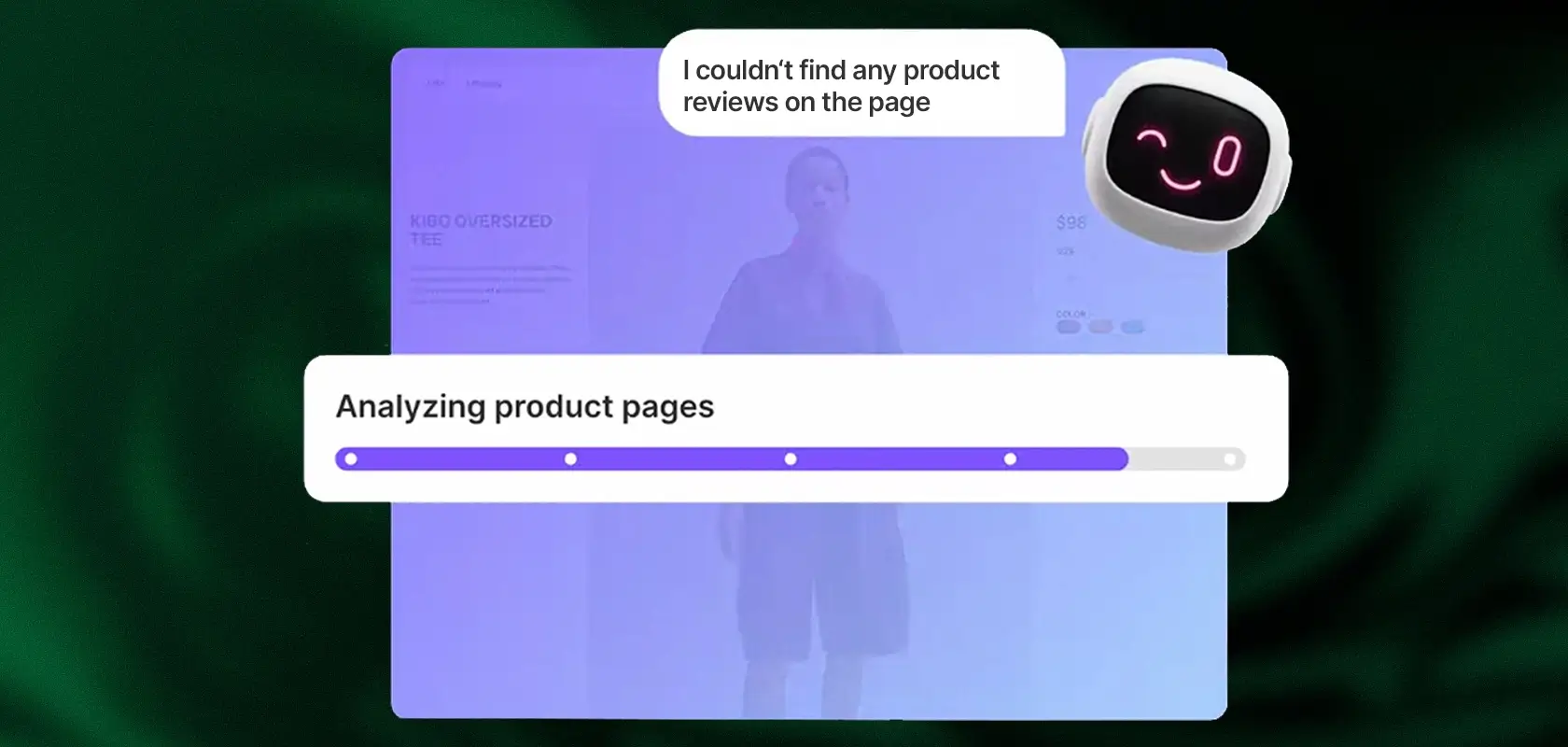
What makes these SimGym features special is that you don’t just get raw numbers—you also get qualitative feedback. The AI personas “explain” why they bought a product or why the purchase fell through (e.g., missing information or confusing navigation).
Reading tip: Click here to see the most important promotional days in e-commerce.
Two Testing Methods in Detail: Theme Comparison vs. Individual Page Analysis
The real magic of the application lies in the incredible precision of its AI personas. But what exactly do simgym’s features look like in everyday use? The software generates virtual shoppers with completely different characteristics, budgets, and goals—shoppers who don’t act like clunky bots but instead mimic the complex customer journey of human users.
| Core Function / Area | Virtual Shopper Behavior | Evaluation & Qualitative Feedback |
|---|---|---|
| Deep Product Interaction | Clicking on images, reading descriptions, checking color/size variants, and reviewing customer ratings. | Shows whether your product detail pages (PDPs) are convincing and satisfy all relevant purchase criteria. |
| Complex Store Navigation | Utilizing filter options, dropdown menus, and search functionalities to find their way around. | Reliably uncovers illogical menu structures, dead ends, and navigation issues. |
| Adding to Cart | Placing items into the shopping cart when the experience and the product meet their criteria. | Simulates the add-to-cart rate and identifies hurdles prior to checkout. |
| Root Cause Analysis | The AI explains the success or abandonment of the customer journey in text form. | Delivers real insights and reasoning (e.g., unclear return policies) instead of just raw numbers. |
What makes these simgym features truly unique is this detailed analysis: You’ll receive precise, high-quality insights into exactly where a purchase fell through, allowing you to address these bottlenecks in the user experience directly and effectively.
Technical Requirements for Integration
In order for the software to function as a reliable Shopify app testing environment and provide you with valid, realistic data, your store must meet certain technical criteria:
Liquid Storefront: In its current development phase, the tool works exclusively with classic, Liquid-based themes. Headless architectures or stores based on Shopify Hydrogen are not currently supported.
Shopify Network Intelligence (SNI) enabled: This essential feature must be enabled in your store settings. Only then can the AI access the necessary global e-commerce data models to simulate realistic buyer behavior.
No password protection: The store (specifically, the draft theme being tested) must not be locked with a global password; otherwise, the AI will not be able to access the interface.
At least 1 listed product: There must be at least one active product in the store so that the simulation can perform an “Add to Cart” process.
Step-by-Step Setup Guide
Installing the SimGym app is incredibly easy and takes just a few minutes. Follow these steps:
Open the App Store: Search for the app in the official store and click the “Install” button.
Grant permissions: Accept the requested access permissions. Don’t worry: The app only needs these permissions to read your theme and product data for the simulation.
Open the admin area: In your merchant dashboard, navigate to the “Apps” tab and open the app.
Select the test setup: Depending on your goals, choose either the comprehensive Theme Comparison or the focused Single Theme Analysis.
Select the themes: Use the dropdown menu to specify exactly which theme versions (Live vs. Draft) should be tested by the AI.
Start the simulation: With a final click on “Run Simulation,” you send the virtual AI shoppers on their way. Depending on the complexity, the evaluation will now take a few minutes.
Evaluating the results: How to interpret the AI reports correctly
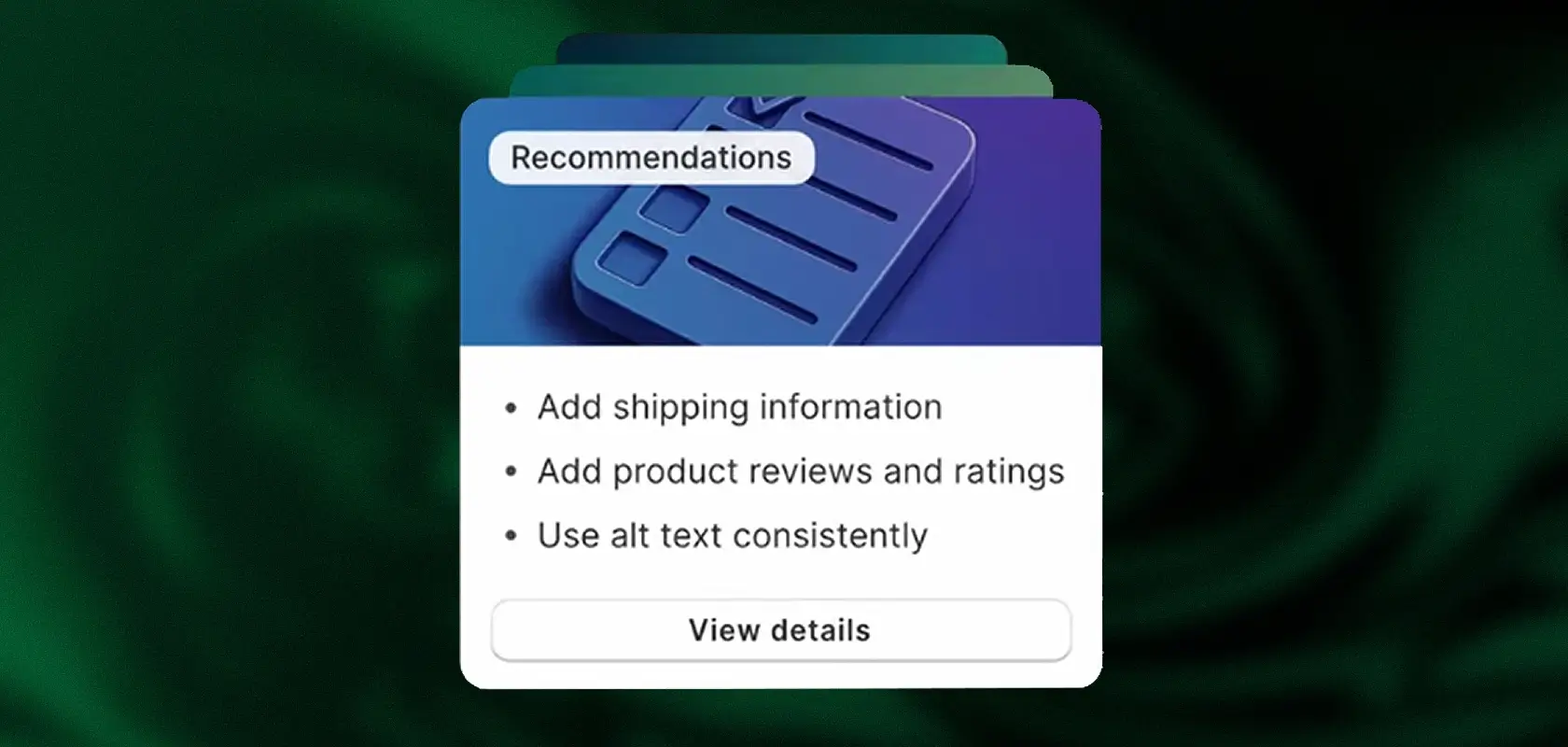
Once the in-depth simulation is complete, Shopify SimGym presents you with a visually appealing and detailed dashboard. To get the most out of it, you should focus on the following three areas:
The clear-cut winning theme: In a side-by-side comparison, you can see at a glance which theme version achieved a significantly higher “Add to Cart” rate.
Prioritized Recommendations: This is the absolute heart of the analysis. The app provides you with very specific recommendations for action, sorted algorithmically by their potential impact on conversion. This means you can immediately see which small change (e.g., a larger “Buy” button or trust badges placed higher up on the page) will have the greatest financial impact for you.
Qualitative Feedback from AI Shoppers: Take the time to read the feedback from individual personas in detail. Statements like “I abandoned the purchase at the last minute because the return policy on the product page wasn’t clear enough to me” are pure gold for your UX designers.
Reading tip: How to optimize your conversion rate.
SimGym vs. Shopify Rollouts: What’s the Difference?
Will these AI-powered tests challenge traditional A/B testing in the future, and are they a genuine, full-fledged alternative to Shopify Rollouts?
The short, clear answer is: No, it’s actually an extremely powerful complement. The following comparison clearly shows where the differences lie and why synthetic tests are the perfect precursor to native live A/B testing:
| Feature | Shopify SimGym (Synthetic Testing) | Shopify Rollouts (Live A/B Testing) |
|---|---|---|
| Type of Traffic | Artificially generated AI personas (virtual shoppers) | Real, human store visitors (real-time traffic). |
| Revenue Risk | None. All tests run securely in the background without affecting real traffic. | Present. A poorly converting test variant will cost you real customers and revenue. |
| Speed | Minutes. The AI delivers immediate results, completely independent of your current visitor numbers. | Weeks to months. You need a sufficient volume of live traffic to gather statistically significant data. |
| Ideal Use Case | Finding major UX flaws and risk-free pre-testing of major redesigns. | Final validation of optimized themes under real market conditions with actual credit cards. |
Conclusion: The tool isn’t meant to be a pure replacement, but rather the logical first step in your optimization process. You start by using the AI analysis to build the best possible, error-free version of your theme. Only once the AI gives the green light and the biggest hurdles have been eliminated should you redirect your actual customers to this version via Shopify Rollouts. This saves a tremendous amount of time, minimizes business risk, and protects your conversion rate.
Reading tip: Here you can read all about Shopify rollouts.
Costs and Pricing Model: The Credit System Explained
The system uses a merchant-friendly and highly transparent credit model based on the “pay-per-use” principle. Exactly 1 credit is charged for each simulation run.
So you really only pay when you actually use the service and don’t have to sign up for expensive monthly subscriptions. A particularly attractive bonus: Since the technology is currently still in the exciting preview phase, the developer regularly gives out free credits so that merchants can thoroughly test and familiarize themselves with the system at their own pace.
Conclusion
This tool proves to be an enormous asset for data-driven e-commerce brands. It’s especially unbeatable for low-traffic stores. If your store doesn’t yet attract tens of thousands of visitors per month, you often have to wait several months for statistically significant and reliable results with traditional A/B testing. With this technology, however, you can gain these valuable insights in just a few minutes. Of course, the system is subject to certain limitations, as artificial intelligence does not yet function exactly like a human. For example, it’s difficult for a machine to simulate purely emotional, spontaneous purchases—and even when it does, the simulation is highly simplified. Nevertheless, one thing is certain: Anyone looking to improve their user experience and conversion rate in a reliable, risk-free, and systematic way will benefit enormously from this forward-looking solution.
As a Shopify Premier Partner, we’re happy to assist you with any questions you may have about Shopify and Shopify Plus. Contact us for a no-obligation consultation.
Frequently Asked Questions about the SimGym App
What is Shopify SimGym?
It is an AI-powered application that simulates the behavior of online shoppers. It helps merchants test theme changes using artificial buyer personas before pushing them live.
Does this tool replace A/B testing with real customers?
No. The simulation is a synthetic test designed to act as a preliminary stage to eliminate friction points in advance. Final A/B testing with real customers remains essential.
Do the tests work with Headless Commerce or Hydrogen?
No. In the current phase, only Liquid-based storefronts are supported.
How much does it cost to use the SimGym app?
We operate on a pay-per-use model, where you spend credits per simulation (1 credit = 1 simulation). However, free credits are frequently provided at the moment.
Will the AI shoppers distort my Google Analytics data?
No. The artificial traffic takes place in a secure, server-side testing environment. Your real live analytics will not be affected in any way.
