)
Shopify has long since established itself as a force to be reckoned with among e-commerce platforms. With Shopify POS, the Canadian company with German roots now offers merchants a way to link their local store with a Shopify online store. We'll tell you about the POS system and present ways to add a number of clever features to your Shopify POS with individual apps. This seamlessly connects your brick-and-mortar store to a modern online POS store.
Quick Insight:
Shopify POS (Point of Sale) is a point-of-sale system that directly connects in-store sales to your Shopify online store. It enables merchants to process in-store sales using mobile devices such as iPads or smartphones, while synchronizing inventory, customer data, and sales reports in real time—all in one central location.
Table of contents
- Brick-and-mortar stores and online shops all in one system: What is Shopify POS, and how does it work?
- The features of Shopify POS
- Shopify POS vs. Shopify POS Pro – Here Are the Differences
- Shopify POS Costs, Prices, & Fees
- The advantages of Shopify POS checkout system
- Shopify POS customize with custom development from Latori
- These Latori customers rely on Shopify POS
You need help with Shopify or Shopify POS? Feel free to conatc us and we will gladly help you out. Contact us
Brick-and-mortar stores and online shops all in one system: What is Shopify POS, and how does it work?
Shopify POS is a Shopify-POS app-controlled cash register system for Android and iOS, which makes it suitable for mobile use. The system centralizes the management of customer data and inventory management in your store. So if you're wondering, “What is Shopify POS?”, it's exactly this central hub. This means that when a customer makes a purchase in your brick-and-mortar retail store, a customer profile is created that can also be used for the online store. Your inventory is automatically reduced by one unit for both channels. This prevents shortages from occurring.
Merchants can use the Wisepad 3 Card Reader from BBPOS, the Victa Mobil from Verifone, or the POS terminal from Shopify as card readers. However, other hardware is also supported in Germany. This includes not only card readers, but also cash drawers, barcode scanners, and receipt printers. At launch, Visa, Mastercard, and Amex credit cards will be supported as payment methods, along with Google Pay and Apple Pay. Payments are processed securely via Shopify POS Payments.
Difference: Shopify POS vs. Shopify Online Store
While the standard Shopify Online Store handles pure e-commerce on the web, the Shopify POS software serves as the physical point-of-sale (POS) system on-site. The Shopify POS system synchronizes inventory and customer data with your online store in real time.
Which retailers is this POS system suitable for?
It’s ideal for omnichannel retailers who sell online and also operate physical stores, pop-up stores, or market stalls.
In addition to the Shopify POS app, retailers in Germany also need a TSE app, which is a legal requirement under the German Cash Register Security Ordinance (KassSichV). The Data Exporter app can also be used to export data for tax purposes and submit it to the tax office. Compliance with these requirements makes Shopify POS usable throughout Germany.
Sales Tax & Local Reporting Standards
The solution is fully optimized for Shopify POS Germany. All German sales tax rates are processed accurately, and the sales receipts comply with local tax authority requirements.
More comfort for your clientele
Multiple, interconnected sales channels can be an asset to your business, and not just from a monetary perspective. The so-called omnichannel strategy with Shopify POS also offers your customers more convenience. For example, they can use click & collect to order items from the online store and pick them up from your store. This saves shipping costs and gives you the opportunity to ask questions about your product.
Powerful monitoring - also mobile
Which products have the highest sales, what is the average order value, and which salesperson generates the most sales? With answers to these questions, you can make informed business decisions. Via the Shopify POS app, you can access detailed reports for powerful monitoring - mobile and from anywhere. This Shopify POS system provides you with all the key data at a glance.
Reading tip: Similar to the store window of your store, your online store is also a business card for your business. For a particularly appealing appearance on the web, we show you here the 1-Mal-1 of store design.
The features of Shopify POS
 Shopify POS (Point of Sale) is a powerful retail platform that seamlessly integrates physical and online sales. Here are some of the key features of Shopify POS features:
Sales Processing
Shopify POS lets you easily add items, apply discounts, and process orders quickly. It supports multiple payment methods, including credit cards, cash, and more.
Inventory Management
You can monitor inventory levels in real time, so you always know what products are available. This prevents overselling and enables effective inventory replenishment.
Customer management
Manage customer profiles, collect information about customer preferences and past purchases. This enables personalized marketing campaigns and better customer retention.
Reporting and analysis
Get detailed insights into sales history, product performance, and employee performance. This helps optimize business operations.
E-commerce integration
Shopify POS seamlessly connects with your online store, so you can easily sync orders, customer data, and inventory.
Discount and coupon management.
Create and manage discount promotions, coupon codes, and gift cards directly from the POS system.
Multilingualism and currencies
If you sell internationally, you can accept different currencies and customize the language for the POS system.
Barcode scanning
Use barcode scanners to quickly identify products and speed up the checkout process.
Cash drawer management
The system supports cash drawer connection and cash transaction management.
Customer loyalty and marketing
Send email alerts, promote cross-selling, and create customer profiles to target marketing campaigns.
Integrations
Shopify POS seamlessly integrates with a variety of third-party apps and payment processors.
Offline functionality
Even if you don't have an internet connection, you can make sales and update inventory. Data is synced as soon as you're back online.
Personnel management
Manage access rights for your staff and track their sales and performance.
Mobility
Shopify POS can be used on mobile devices such as iPads, increasing flexibility and mobility in the business environment.
Contactless payment
Accept payments via contactless methods like Apple Pay and Google Wallet.
These features make Shopify POS a comprehensive solution for retailers looking to operate both physical and online sales channels.
Tap to pay
This contactless payment method allows customers to make purchases by simply tapping their card, phone, or compatible device—without the need for an additional card reader. The feature is available in Germany and Switzerland, among other countries. For Android users, it is available in the United States, Canada, Belgium, Denmark, Germany, Finland, France, Ireland, Italy, Luxembourg, the Netherlands, Switzerland, Spain, the Czech Republic, the United Kingdom, Australia, New Zealand, and Singapore.
Support for product bundles
With the new product bundles feature in Shopify POS, you can now combine items at a special price and sell them just as easily as online. This strategy promotes higher average order values, fast inventory turnover and satisfied customers who feel they are getting more for their money. Shopify POS supports two package types: fixed combinations at one price and multipacks with multiple units of the same product.
Reading tip: Read more about product bundles with Shopify here.
Split screen view
The split screen view in Shopify POS provides a significantly improved user interface. Merchants can now view the shopping cart and search results at the same time. This saves time, as it is no longer necessary to switch between different views, and minimizes input errors, as sellers can immediately see whether an item is already in the shopping cart. This function also provides a better overview, which makes consultations with customers much easier and the sales process more efficient.
Meta fields in Shopify POS
With the introduction of meta fields in Shopify POS, merchants can now enter and save additional customer-specific data directly in the sales conversation. This enables personalized customer advice, as preferences such as favorite brands or preferred colors are directly accessible. Furthermore, detailed customer data can be used for more targeted marketing strategies. Special requests such as engravings or individual customizations can also be managed efficiently, which further optimizes the service for customers and simplifies the sales process.
These features make Shopify POS a comprehensive solution for retailers who want to operate both physical and online sales channels.
Quick Insight: What are metafields in Shopify?
Metafields are custom data fields in Shopify. They allow merchants to capture and store additional, specific information and data points about objects such as products, customers, orders, or collections that go beyond the standard fields.
Shopify POS vs. Shopify POS Pro – Here Are the Differences
Shopify offers basic point-of-sale features that are included in every paid Shopify plan. For merchants with permanent retail locations, there’s an upgrade to Shopify POS Pro. The choice depends on your business’s specific needs. Small retailers or those with occasional in-store sales may be satisfied with the standard POS features, while businesses that need advanced features for staff, inventory, and customer relations will benefit from Shopify POS Pro. Here are the key differences between the two options:
| Shopify POS (Standard / Included in plans) | Shopify POS Pro (Add-on) | |
|---|---|---|
| Costs | Included in any paid Shopify plan with no additional upfront software costs. | Paid upgrade (add-on): +€79 / month for each POS Pro location. |
| Availability | Shopify POS can be used in almost every country worldwide. However, Shopify Payments and integrated hardware are only available in select regions. | Same as Standard, but specifically recommended for businesses with permanent retail locations, high foot traffic, or large teams. |
| Features | Unlimited POS logins starting from the Shopify Grow plan, and returns only possible at the original location of purchase (except for Shopify Plus). | Unlimited POS access for staff, roles and permissions, inventory management, returns/exchanges at any location, and omnichannel selling (e.g., local pickup). |
| Customer Loyalty | Offers simple customer profiles to capture basic customer information. | Comprehensive customer profiles, Customer Lifetime Value reports, and deep insights into customer loyalty. |
| Reports & Analytics | Basic in-person sales insights. | Professional retail reports and detailed inventory reports for deeper insights into product performance. |
When is the Standard plan enough, and when is it worth upgrading to Pro?
The Standard features included in the plan are sufficient for “occasional in-store sales.” With these, you can accept payments and handle limited returns. Upgrading to Shopify POS Pro is worth it for permanent retail locations. If your store has a lot of walk-in customers, your team has multiple levels, or you carry an extensive product catalog, POS Pro is recommended. It provides unlimited staff logins, team permissions, and faster workflows for discounts or inventory transfers.
Shopify POS Costs, Prices, & Fees
Many merchants ask: Does Shopify POS cost extra? The answer is: The basic POS features are included for free in your regular Shopify plan (e.g., Basic, Grow, Advanced). If you need advanced features, the price for the Pro upgrade is €79 per location per month (billed annually). The total cost therefore consists of your Shopify plan, transaction fees, and, if applicable, the POS Pro locations you’ve added.
Shopify Payments Transaction Fees
In addition to software fees, transaction fees (card processing fees) apply. According to Shopify, these fees for in-store payments are as follows:
Basic Plan: 1.5% + 0.00 € EUR
Grow Plan: 1.3% + 0.00 € EUR
Advanced Plan: 1.2% + 0.00 € EUR
One-Time Hardware Costs
To get started with Shopify POS, all you need is a smartphone or tablet and a Shopify card reader. You can also add hardware accessories to complete your point-of-sale setup. According to Shopify’s hardware page, the following options are currently available:
Victa Mobil by Verifone – €349.95
Shopify POS Terminal – €229.00
WisePad 3 Card Reader by BBPOS – €59.00
The advantages of Shopify POS checkout system
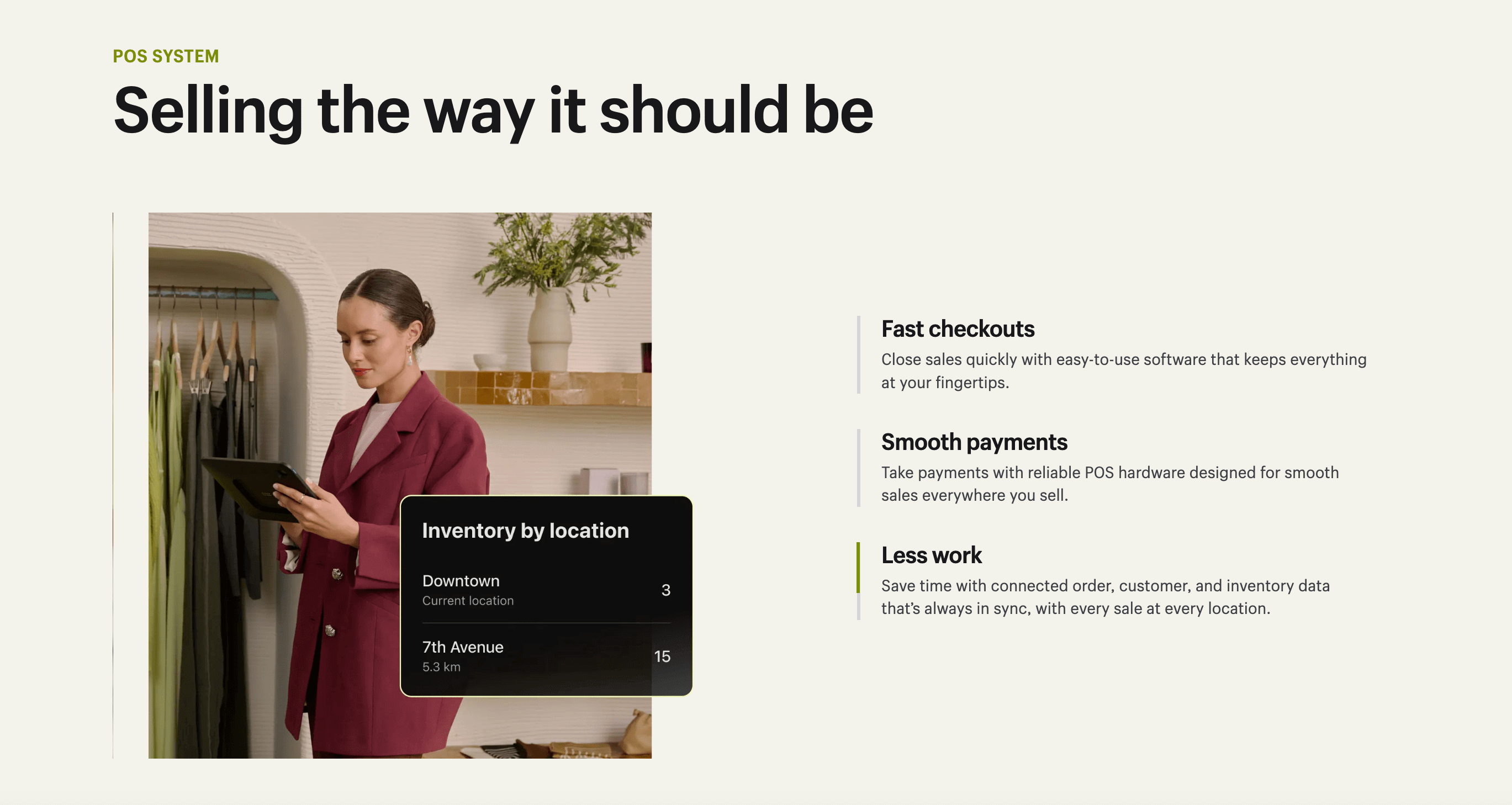 Shopify POS offers a variety of benefits for retailers operating both physical and online sales channels. Here are some of the key benefits:
Integrated platform: Shopify POS is seamlessly integrated with your e-commerce website. This means you can manage physical and online sales through the same system, making it much easier to manage and reconcile inventory and customer information.
Real-time inventory management: you have an accurate overview of your stock at all times. This minimizes the risk of overselling and enables efficient inventory replenishment.
Mobile and flexible: Shopify POS works on mobile devices such as iPads. This increases flexibility and allows your employees to move freely around the store.
Customer retention: With integrated customer management, you can create customer profiles, collect information about preferences, and run personalized marketing campaigns to drive customer loyalty.
Comprehensive reporting: Shopify POS provides detailed reports and analytics on your sales performance, inventory, and employee performance. This data helps in business optimization.
Fast processing: you can quickly add orders and scan products to speed up the checkout process. This improves the customer experience, especially at peak times.
Easy to set up and use: Setting up Shopify POS is simple and requires no technical skills. The intuitive design makes it easy to navigate and train your employees.
Offline availability: Shopify POS can be used without an internet connection. Data is synced as soon as a connection is established, so you never miss sales.
Flexible discount and coupon management: you can easily create and manage discount promotions and coupon codes to run marketing campaigns.
Contactless payment: Accept payments via contactless methods such as Apple Pay, Google Pay, and other supported digital wallets, which enhances security and convenience for your customers.
Scalability: Shopify POS grows with your business. You can easily add additional registers as your business grows.
Security and Compliance: Shopify POS meets industry security and compliance standards to ensure the safety of your transactions and customer data.
Support and Community: Shopify offers comprehensive customer support as well as access to an active user community where you can learn from other merchants and get support.
POS terminal: The terminal is equipped with a full customer display that can show customized images or logos.A professional POS terminal enhances the shopping experience.
Potential Limitations & Challenges
One of the few drawbacks is that certain specialized hardware devices are not sold directly by Shopify in Europe. In addition, the Pro fees may be a cost factor that small merchants with many (but low-revenue) locations need to factor into their calculations.
Checklist: What you need for a successful Shopify POS launch
In addition to the Shopify POS app installed on your devices, other hardware components are required for a smooth start with the POS software. These include:
a receipt printer
a barcode scanner
a cash register and
a credit card reader
While Shopify recommends using its own Shopify POS hardware for in-store use, you are free to use any other compatible POS hardware. The only important thing is to make sure that it is supported by Shopify.When it comes to Shopify POS hardware in Germany, you should be sure to choose certified providers.
Using iPads & External Card Terminals
An iPad usually serves as the basis for the POS terminal. In addition, you can use the compact Wisepad 3 or a full-featured Shopify POS terminal to accept contactless payments.
Payment Methods & Shopify Payments Integration
Accepted Payment Methods (Girocard, Credit Cards, Apple/Google Pay)
With the integrated Shopify POS Payments, you can accept all major payment methods in Germany. These include Girocard, major credit cards, and mobile payments such as Apple Pay. Splitting payments (e.g., €50 in cash, the remainder by card) is also easily possible within the POS system.
System Integrations & API Extensions
Which POS systems can be integrated with Shopify?
A common question is: Which POS systems can be integrated with Shopify? If you’re already using a system, solutions like Lightspeed or Square can often be connected via third-party apps. However, the native Shopify POS integration remains the most stable and seamless solution.
Developer Options: Shopify POS API & ERP Integrations
Using the Shopify POS API, agencies like Latori can program customizations and seamlessly integrate external ERP or accounting systems (such as Xentral) into your point-of-sale software.
For Which Business Models Is Shopify POS Worth It?
The point-of-sale system is incredibly versatile: Fashion and retail brands benefit from seamless inventory management for different sizes and colors. Pop-up stores appreciate the complete mobility of the iPads. B2B showrooms can also securely enter large orders into the system right on the spot.
Shopify POS customize with custom development from Latori
 Shopify POS offers businesses an easy entry into omnichannel commerce. With individual apps, the standard solution can be ideally tailored to the needs of your clientele. Latori specializes in custom development for Shopify. Below we present a few scenarios where we could support your project.
Assign voucher codes with the cash register receipt
With the help of coupon codes, you can succeed in turning new customers into existing ones. This is especially true if you sell a product that needs to be purchased regularly or if there are a number of accessories in your store.
It is particularly clever if you attach a discount code to the sales receipt. According to KassenSichV, there is a so-called "bong obligation" in Germany. According to this, you must issue a receipt to your customers after every purchase. This way, your discount is guaranteed to reach your clientele and will definitely not go unseen. Moreover, this way of giving discounts is not intrusive at all. Because your customers will probably rarely receive voucher codes this way, the joy is likely to be all the greater.
Establish a loyalty points program
Loyalty points are a proven method for customer retention. With Shopify POS's centralized customer data management, we can implement a loyalty points program for you that works both online and offline. Your shoppers can access their points balance via your profile - or you can communicate this with the receipt as well.
Reading tip: Loyalty points in online stores: How to use the marketing tool.
Use QR codes for an interactive shopping experience
Sometimes customers simply want to stroll around your store without being disturbed. QR codes can be used to create an interactive shopping experience that combines both channels. Customers can scan products via QR code and are automatically redirected to your online store for more product information. Of course, they are then free to buy your products online as well.
Our Approach: Workshop, Setup, ERP Integration & Training
We guide you every step of the way: from the initial analysis of your requirements to the hardware setup in your store and the integration of your ERP system. We then train your sales staff to ensure they can use the point-of-sale system smoothly.
You want to use Shopify POS for your business? Contact us! Latori was the first Shopify Plus partner agency in Germany. From many years of experience, we have the necessary tools for individual app development under Ruby on Rails and we have already set up Shopify stores for numerous national and international companies, refurbished or migrated from other systems. We would be happy to support you in your project with Shopify POS!
These Latori customers rely on Shopify POS

Asphaltgold
Asphaltgold successfully integrates its brick-and-mortar retail store in Darmstadt with its online store using the Shopify POS solution. This seamless link allows the company to offer its customers a flexible shopping experience both in-store and online.
Read more about the success story and the sales setup, in the Asphaltgold Case Study.
LFDY
LFDY now has brick-and-mortar stores in London, Amsterdam, Berlin, Cologne, Dusseldorf, Munich and Hamburg, and also relies on Shopify POS technology to link its online sales platform with its offline stores. This smart integration enables the company to offer its customers a seamless shopping experience.
Read the full success story of the D2C brand in Live Fast The Young Success Story.
CdC equestrian
The sustainable equestrian brand has also decided to implement Shopify POS. This decision is primarily aimed at facilitating face-to-face sales at trade shows and events. By integrating Shopify POS, customers can seamlessly and conveniently shop on-site while experiencing the brand's high-quality products.
To view the Charme de Cheval Case Study, click here.
Frequently Asked Questions About Shopify POS
What is Shopify POS and can I use it as a point-of-sale system?
Shopify POS is point-of-sale software that seamlessly connects brick-and-mortar retail with your online store. It runs as an app on Android and iOS and can be used with compatible hardware such as the Shopify WisePad 3 or a classic Shopify POS Terminal.
Is POS free on Shopify or does Shopify POS cost extra?
The basic version, Shopify POS Lite, is free and already included in almost all standard Shopify plans. Additional Shopify POS costs only arise if you upgrade to Pro features. The price for Shopify POS Pro is currently €89 per location per month. For Shopify Plus users, 20 Pro locations are already included.
Which versions of Shopify POS are available?
Shopify offers two versions: Shopify POS Lite and Shopify POS Pro. While the Lite version is sufficient for basic sales, Shopify POS Pro provides advanced features such as custom staff PINs, detailed performance reports, and deep inventory management. A comparison of "Shopify POS Pro vs Lite" is crucial, especially for growing businesses.
Is Shopify POS integrated with my online store?
Yes, the system is seamlessly integrated with your webshop. Orders, inventory data, and customer information are synchronized in real time. Such a clean POS Shopify integration prevents stockouts and gives omnichannel merchants a major competitive advantage.
Is Shopify POS customizable?
Custom apps allow you to tailor the standard solution precisely to your needs. Many functions can be expanded using the Shopify POS API. As Shopify experts, we at Latori are happy to assist you with custom development.
Which POS systems can be integrated into Shopify?
In addition to native Shopify POS, external POS systems (such as Lightspeed or Square) can also be integrated into Shopify via third-party apps. However, in most cases, we recommend using the native Shopify POS software, as data synchronization between the online store and physical location works most fluidly and reliably there.
