
Bookkeeping is one of those tasks in e-commerce that can quickly become very time-consuming. Every order generates data that must be accurately recorded, processed, and documented. This includes invoices, payments, refunds, and fees charged by payment providers. Anyone who operates multiple sales channels or Shopify stores must also ensure that all data is fully consolidated.
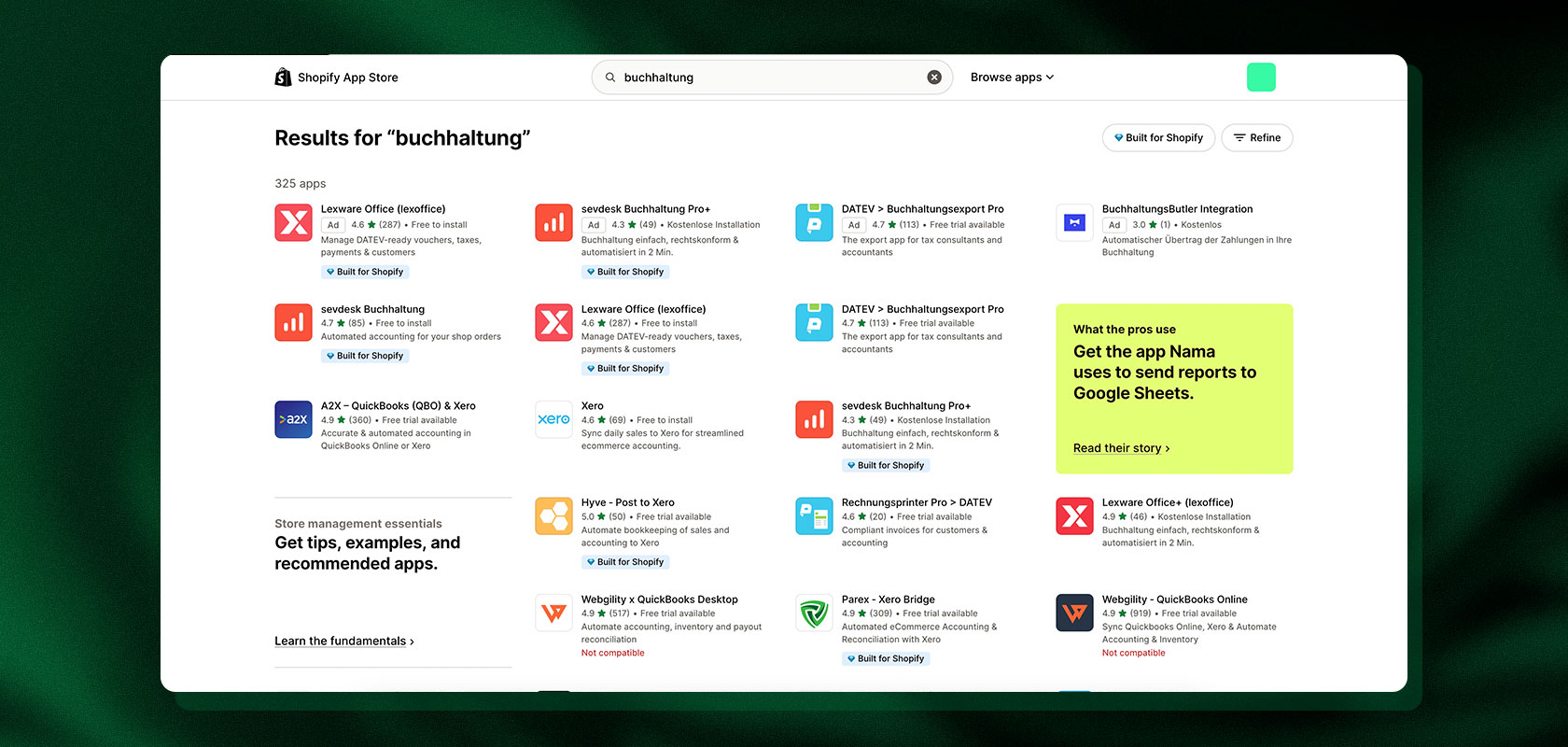
Shopify already offers basic features for managing orders and creating documents. However, these options aren’t always sufficient for largely automated bookkeeping. With the right Shopify apps, you can automatically create and send invoices, transfer payment data, and streamline bookkeeping processes.
The best solution depends on which tasks you want to automate: Is one app enough for invoices and packing slips? Do you need a connection to Lexware Office? Or do you want to centrally manage orders from multiple stores and marketplaces?
In this article, you’ll learn about the accounting options Shopify offers, which apps are suitable for different needs, and what to look for when making your selection.
What is Shopify Accounting?
Shopify Accounting is the recording and tax processing of all business transactions for a Shopify store, including sales, invoices, payments, fees, and refunds.
Table of contents
- Create and Automatically Send Shopify Invoices
- A Comparison of the Top Shopify Accounting Apps
- Connect Lexware Office to Shopify
- Shopify and DATEV: Transferring Accounting Data
- Centralized Bookkeeping for Multiple Shopify Stores
- What Should You Look for in an Accounting App?
- Conclusion: The Right Solution for Your Shopify Accounting
Need support with your Shopify Plus project? Our Shopify experts are here to help and advise you! Contact us!
Shopify Accounting: What Features Does Shopify Offer?
Shopify provides important raw data for business operations in the admin panel: orders, customer data, refunds, and transactions can all be viewed and exported from there.
However, Shopify is not a full-fledged accounting program. The platform does not replace standalone software used to record all business transactions in an audit-proof manner, manage receipts, and generate tax reports. For most merchants, this results in a three-part system: Shopify runs the store, an app handles invoicing, and accounting software processes the data for the tax authorities and the tax advisor.
What Tasks Are Involved in Shopify Accounting?

Depending on the business model, the following processes—among others—must be taken into account:
Invoicing: Generate invoices and credit memos for orders and cancellations.
Invoice Delivery: Automatically send documents via email or upload them to the customer’s account.
Payment Reconciliation: Match orders to actual payments received.
Refunds: Accurately track returns, partial refunds, and credit memos.
Record fees: Post transaction fees from the respective payment providers separately.
Apply sales tax: Correctly apply tax rates based on the destination country and shipping method (e.g., OSS).
Document archiving: Store invoices in a manner that is GoBD-compliant and traceable.
Data Transfer: Transfer posting batches to the accounting firm or accounting software (e.g., DATEV).
Latori Expert Tip: First, check which data Shopify already reliably provides and which steps are currently handled manually. This will help you quickly determine whether a streamlined invoicing app is sufficient or if you need a more comprehensive ERP or middleware integration.
Reading tip: To find out which payment providers your store can use and what data is collected in the process, read our article on Shopify Payments and the available payment methods. Our overview of Shopify pricing for 2026 shows how fees affect your total costs.
Create and Automatically Send Shopify Invoices
Invoices are among the most important documents in e-commerce. They must be tax-compliant, accurately reflect the relevant business transaction, and remain accessible to customers and the accounting department at all times.
Quick Insight: Can Shopify create invoices?
Not automatically. By default, Shopify only generates order confirmations, which do not constitute invoices under the law. With the free Shopify Order Printer app, you can print receipts manually. For automatic email delivery, credit memos for returns, and structured e-invoices, a specialized app is required.
An order confirmation merely informs customers that their order has been received. It generally does not entitle businesses to claim input tax credits and does not meet the criteria for a valid invoice.
What must a Shopify invoice include?
Invoices issued by a Shopify store must include the same legally required information under Section 14 of the German Value-Added Tax Act (UStG) as invoices from any other business sector:
Full name and address of the seller and buyer
Tax number or value-added tax identification number (VAT ID)
Sequential, unique invoice number and invoice date
Quantity and standard commercial description of the delivered items
Date of delivery or service provision
Net amounts broken down by tax rate, along with the respective tax rate and tax amount
Where applicable, information regarding tax exemptions (e.g., for intra-Community supplies)
(Note on finding documents: You can find invoices from Shopify for your Store plan in the Admin under “Settings > Billing.” Customer invoices, on the other hand, are managed directly in your invoicing app.)
When Is Automated Invoicing Worth It?
If you have only a few sales per week, you can create invoices manually. However, as order volume grows, manually creating and sending invoices takes up valuable time and increases the risk of incorrect invoice numbers or tax rates.

An invoicing app fully automates this process:
Order Receipt: An order is placed and paid for in the Shopify store.
Data Retrieval: The app retrieves address, item, and tax information.
Invoice Generation: The system generates a legally compliant PDF or e-invoice with sequential numbering.
Automatic delivery: The invoice is sent via email or made available for download in the customer’s account.
Corrective documents: In the event of cancellations or partial returns, the appropriate credit memo is automatically generated.
Transfer: The documents are archived in compliance with GoBD standards and made available for accounting.
Latori Expert Tip: Before going live, test the automation specifically with special cases: cancellations before goods are shipped, partial returns, different billing addresses, and tax-exempt B2B orders to other EU countries. These scenarios quickly reveal whether an app truly operates reliably in everyday use.
A Comparison of the Top Shopify Accounting Apps
Not every app covers the same tasks: Pure receipt apps focus on design, PDF generation, and email delivery. More comprehensive solutions bundle multichannel orders or synchronize data directly with financial accounting.
Shopify Accounting Apps at a Glance
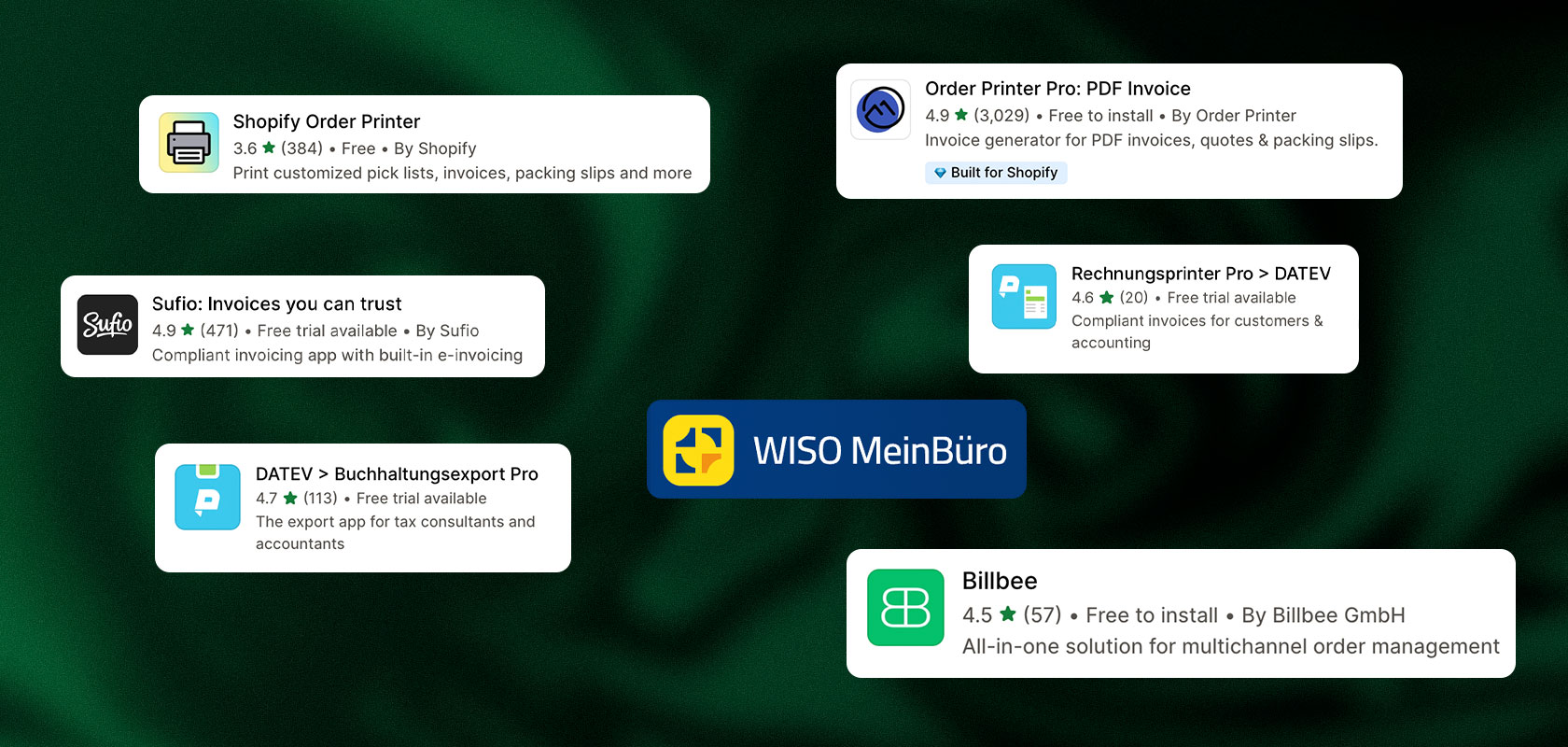
| App | Core Focus | Best Suited For |
|---|---|---|
| Shopify Order Printer | Templates and manual document printing | Small stores with low document volume and no automation needs |
| Order Printer Pro | Automated PDF invoices & email dispatch | Growing stores looking to save time when sending documents |
| pathway Rechnungsprinter | Bulk processing, number ranges, tax-firm focus | Fast-growing D2C brands with strict compliance requirements |
| Sufio | Multilingual B2B/B2C invoices, e-invoicing | International stores with complex tax requirements |
| pathway Buchhaltungsexport | DATEV formatting of payment data & fees | Stores whose tax advisor requires pre-coded DATEV batches |
| WISO MeinBüro | Invoicing and accounting in a single suite | Merchants who want billing and bookkeeping in one system |
| Billbee | Multichannel order processing & interfaces | Merchants selling on marketplaces like Amazon in addition to Shopify |
The Apps in Detail
Shopify Order Printer: For Simple Manual Document Workflows
This free app from Shopify is ideal for merchants who occasionally need to print invoices, packing slips, or pick lists.
Features: Templates can be customized using HTML, CSS, and Liquid. This offers flexibility, but requires coding knowledge for major changes.
Best for: If you’re just starting out, manage a small number of orders, and manually export or print documents as PDFs.
Note: No automatic email sending, no automatic credit memos, and no e-invoice formats.
Source: Shopify Help Center
Order Printer Pro: For Automated PDF Invoices
Order Printer Pro bridges the gap to automated invoice delivery.
Features: Automatic sending of invoice links in Shopify notifications, batch printing in the admin panel, and support for foreign currencies and translations. An add-on is available for e-invoices. Template designs can be customized without any coding using the optional add-on tool Order Printer Templates. Our client Gymondo uses this solution.
Suitable if: You want to send invoices automatically and professionally without having to implement a complex ERP solution right away.
Note: Free for up to 50 orders per month; monthly fees apply thereafter.
pathway Invoice Printer: For High Volumes and Unbroken Number Sequences
The pathway Invoice Printer was developed specifically for the German e-commerce market and rapidly scaling brands.
Features: Guarantees audit-proof, unbroken invoice numbers across all channels, accurately maps international tax rates, generates automatic credit memos, and integrates with Shopify POS. Our client ooia uses the Invoice Printer.
Suitable if: You process many orders per day and want to provide your tax advisor with clean transaction data.
Note: This tool focuses on invoices. The pathway Accounting Export is required in addition for DATEV reconciliation of payments and transaction fees.
Sufio: For International Stores and E-Invoices
Sufio specializes in automated invoicing for Shopify and Shopify Plus in global commerce.
Features: Generates invoices and credit memos in over 30 languages, automatically validates EU VAT ID numbers, and supports structured e-invoices compliant with the ZUGFeRD standard.
Suitable if: You have significant cross-border sales, process many B2B transactions, or are required to provide e-invoices as standard.
Note: Sufio is a document management tool and does not replace a full-featured accounting program.
Source: Sufio Product Overview
pathway Accounting Export: For DATEV Data Transfer to the Tax Accounting Firm
This solution focuses on ensuring clean data transfer to the tax accounting firm.
Features: Generates DATEV-compliant posting batches, correctly allocates transaction fees, separates revenue by One-Stop-Shop (OSS), and reconciles payment providers such as Shopify Payments, Klarna, or PayPal. Our client Live Fast Die Young uses this export.
Suitable if: Your accounting firm works with DATEV and you want to avoid the tedious task of manually breaking down bulk payments.
Note: Generates accounting entries, but not customer invoices (must be used in combination with an invoicing app).
WISO MeinBüro: Invoicing and Accounting in One Suite
The app connects the Shopify store with the WISO MeinBüro accounting software.
Features: Synchronizes order data, creates invoices, reconciles accounts, and offers features for dunning, income-expense accounting (EÜR), and balance sheets, as well as DATEV interfaces.
Suitable if: You’re looking for a standalone, cost-effective all-in-one solution for invoicing and bookkeeping.
Note: The web and desktop versions are technically structured differently and are not compatible with each other.
Billbee: For Multichannel Retailers
Billbee is a web-based platform for order fulfillment, inventory management, and document management.
Features: Consolidates orders from Shopify, marketplaces (e.g., Amazon, eBay), and other systems. Automatically generates documents and offers DATEV exports for revenue and payments.
Suitable if: You want to combine Shopify with other sales channels and centralize your processes.
Note: Often more feature-rich than necessary for single-store setups.
Source: Billbee Interfaces
Cost Overview
| App | Starting Price (Estimates) |
|---|---|
| Shopify Order Printer | Free |
| Order Printer Pro | Free up to 50 orders/month, then starting at $10/month |
| pathway Rechnungsprinter | Starting at $9.99/month (up to 50 invoices) |
| Sufio | Starting at $19/month (50 invoices), unlimited from $49/month |
| pathway Buchhaltungsexport | Starting at €29/month (up to 250 orders) |
| WISO MeinBüro | Starting at €6/month (web version with annual subscription) |
| Billbee | Transaction-based (starting at approx. €0.07 per order) |
Latori Expert Tip: In your planning, make a strict distinction between invoicing and financial accounting. Dedicated invoicing apps generate professional PDFs for your customers. However, as your transaction volume grows, the real accounting workload arises during payment reconciliation: Here, you’ll need interfaces or middleware solutions that automatically process bulk payments and payment fees for accounting purposes.
Which Shopify accounting app is the right one?
Basic receipt printing only: Shopify Order Printer is sufficient for beginners willing to handle manual tasks.
Automated email sending: Order Printer Pro is the streamlined standard solution for growing D2C stores.
B2B, multilingual support, & e-invoicing: Sufio covers complex international invoicing requirements.
DATEV reconciliation for high order volumes: The combination of pathway Invoice Printer and accounting export saves on accounting firm costs.
Shopify plus marketplaces: Billbee consolidates order data and invoicing logic in one place.
Direct financial accounting processing for small and medium-sized businesses: Integration with Lexware Office.
Reading tip: For more Shopify tools to help you build a top-notch e-commerce business, check out our post on the 25 best Shopify apps.
Connect Lexware Office to Shopify
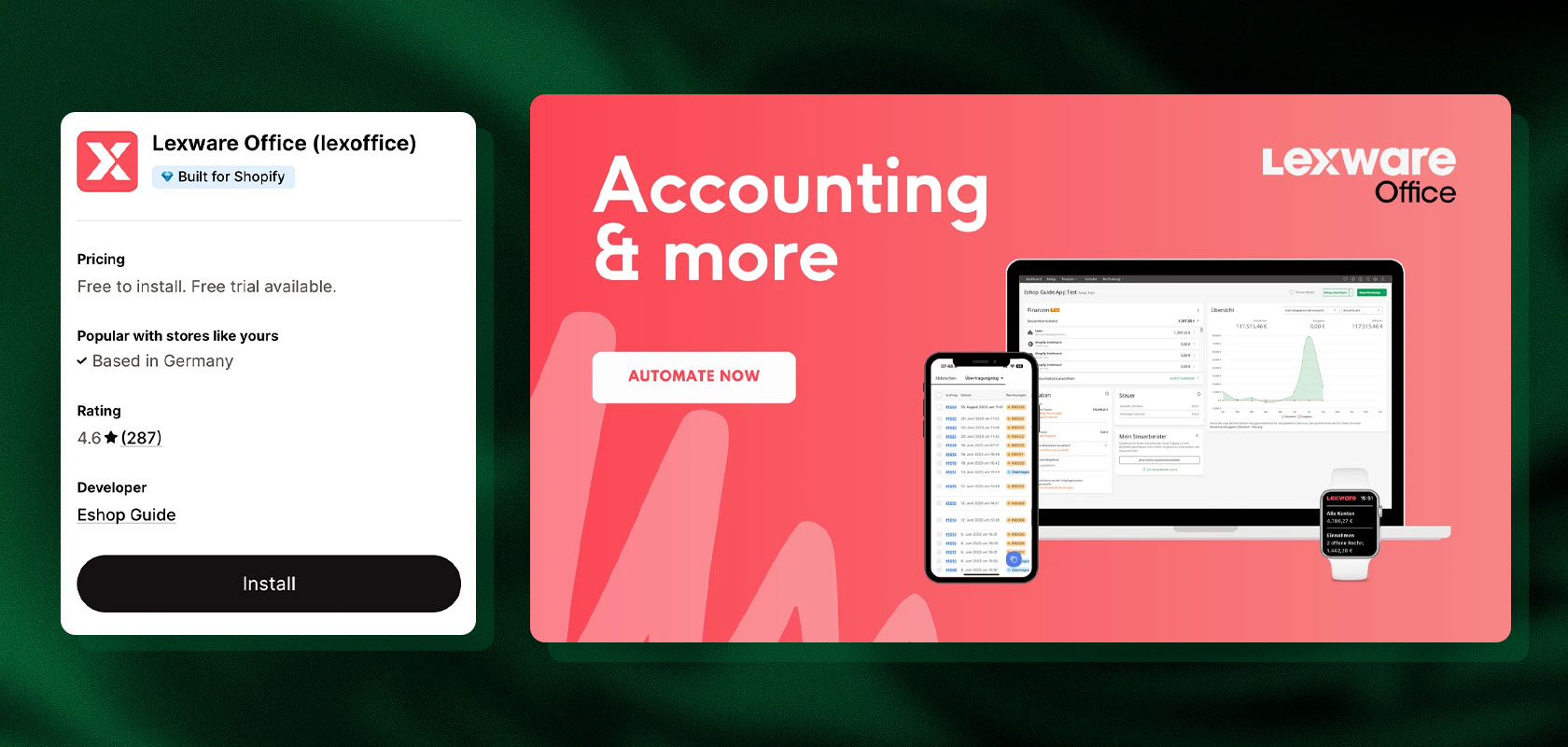
Lexware Office (formerly lexoffice) is one of the most popular accounting programs for small and medium-sized businesses in Germany. You can connect your store directly using the official Eshop Guide integration app in the Shopify App Store.
Quick Insight: What does the Lexware interface synchronize?
The integration not only transfers orders as outgoing invoices, but also reconciles refunds via cancellation documents and automatically posts the payment providers’ transaction fees as business expenses to the appropriate expense accounts.
What tasks does the integration handle?
Document Import: Incoming purchase orders are automatically recorded as valid invoices in Lexware Office.
Credit Memos: Cancellations and returns generate the corresponding adjustment documents.
Payment and Fee Reconciliation: Transaction data from common payment providers is assigned to invoices; fees are posted as expense items.
Tax Compliance: Support for the One-Stop-Shop (OSS) procedure, e-invoice formats, and standardized DATEV export functions for the tax office.
How to Set Up the Integration
Prepare Lexware Office: Coordinate the chart of accounts (e.g., SKR03 or SKR04), revenue accounts, and number ranges with your tax advisor in advance.
Connect the app: Install the Lexware Office integration from the Shopify App Store and link it to your accounting account.
Set up automation rules: Determine at which order status invoices are generated (e.g., immediately after payment is received or only upon shipment).
Map payment accounts: Assign the payment methods used (Shopify Payments, PayPal, etc.) to the appropriate accounts in Lexware so that fees are recorded separately.
Run test cycles: Process test orders for domestic, EU (OSS), and third-country shipments, as well as partial returns, and verify the document flow.
Establish ongoing reconciliation: Regularly check whether Shopify payout reports and the accounting balances in Lexware match.
Latori Expert Tip: Set up a separate clearing account (“Money Transit”) in Lexware Office for each Shopify payment provider (Shopify Payments, PayPal, Klarna). This allows you to post subsequent bulk payouts to your checking account against the individual orders without any rounding or allocation discrepancies.
Shopify and DATEV: Transferring Accounting Data

DATEV is particularly relevant if your tax accounting firm uses DATEV or if you need to provide your accounting data to DATEV for further processing.
It’s important to distinguish between a direct DATEV connection and a DATEV export. Depending on the app, invoices, transaction data, payment information, or receipts are either transferred or exported. Not every integration covers all data types.
What options are available?
Via accounting software: If you use Lexware Office, you can first process the Shopify data through the corresponding integration and then use the available DATEV functions.
Via an order fulfillment solution: Billbee offers, among other things, DATEV revenue and payment exports. This can be useful for merchants who manage their orders across multiple channels. <a href="https://hilfe.billbee.io/article/1300-allgemeine-funktionen">Source: Billbee Help</a>
Via a specialized interface: Other apps and providers can prepare Shopify data for DATEV. Before making a selection, check which data is actually transferred and whether the solution fits your accounting process.
For Larger Stores: Specialized E-Commerce Middleware (AccountOne, Taxdoo & Pathway)
For growing and larger Shopify merchants, standard apps or simple invoice exports often reach their limits. The biggest bottleneck with high order volumes is usually payment reconciliation: bulk payouts from payment providers (such as Shopify Payments, PayPal, or Klarna) must be accurately matched to thousands of individual transactions, returns, and withheld transaction fees.
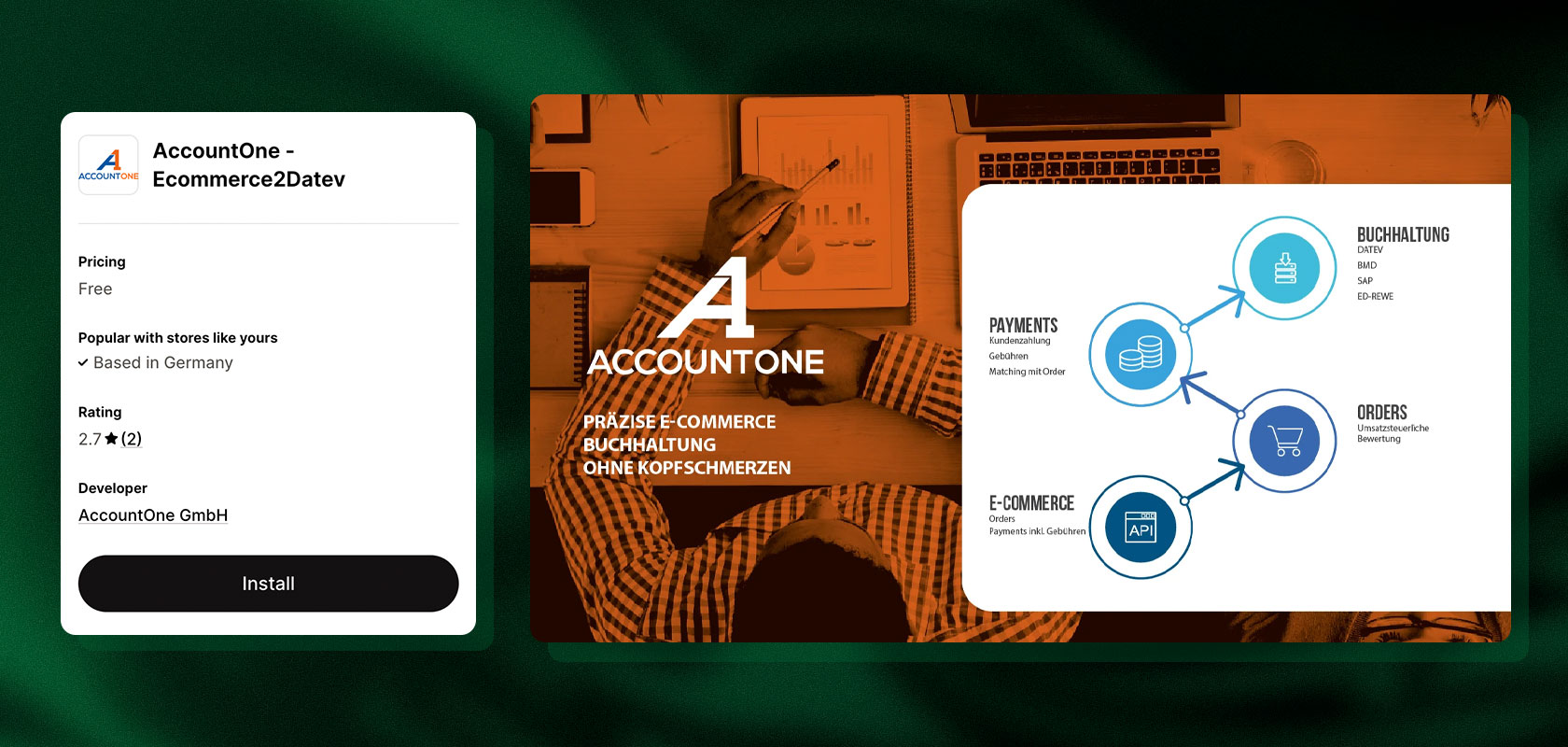
This is where specialized e-commerce accounting tools and middleware solutions such as AccountOne, Taxdoo, or Pathway Solutions come into play. These systems are designed to serve as a highly automated bridge between your Shopify store and your tax advisor’s DATEV system. They are particularly well-suited for complex setups that must meet the following requirements:
Fully automated OPOS reconciliation: The tools automatically assign incoming payments and fees to open items, ensuring that bulk payments in DATEV are immediately broken down transparently.
International sales tax & OSS: Seamless processing of country-specific delivery thresholds, EU sales tax, and the One-Stop-Shop (OSS) procedure.
Pre-assigned posting batches: Instead of raw CSV lists, clean, pre-assigned posting records (e.g., in SKR03 or SKR04) are pushed directly into the firm’s system via DATEV Cloud Services.
Quick Insight: What does OPOS reconciliation mean?
OPOS stands for Open Item Reconciliation: It matches outstanding receivables—such as those from Shopify orders—with actual incoming payments. For bulk payments from payment providers, middleware handles this automatically, rather than manually verifying individual transactions.
Latori Expert Tip: As your store scales, you experience strong international growth, or your setup becomes more complex due to additional marketplaces and B2B channels, implementing this type of middleware is the gold standard. It drastically reduces the need for manual clarification and lowers the long-term costs of tax accounting. Involve your tax firm early in the system selection process to ensure the interfaces are optimally aligned with the firm’s processes.
What should you clarify before connecting to DATEV?
Discuss with your tax firm which data and documents are required. In particular, clarify the following:
Are individual invoices or aggregated transaction data required?
How are Shopify Payments and other payment providers handled?
How are fees, refunds, and cancellations allocated?
Which accounts and tax codes should be used?
In what format and at what intervals should data be transferred?
How are receipts and entries tracked in case of inquiries?
Latori Expert Tip: If possible, coordinate the interface with your tax firm before setting it up. This will help you avoid a situation where data is technically exported but later does not match the agreed-upon accounting logic.
Centralized Bookkeeping for Multiple Shopify Stores
If you run multiple Shopify stores, the workload for bookkeeping often increases significantly. Each store generates its own orders, invoices, payments, and refunds. If you also use marketplaces or international stores, additional data sources come into play.
A centralized solution can help standardize order processing and consolidate accounting data in one place.
Which solution is best for multiple Shopify stores?
For merchants with multiple stores or sales channels, a multichannel solution like Billbee may be a good fit. It allows you to connect multiple sales channels and process orders centrally. <a href="https://hilfe.billbee.io/article/528-shopify-shop-mit-billbee-verbinden">Source: Billbee Help</a>
Invoicing and accounting apps can also support multiple stores. However, you should carefully check whether a single plan covers multiple stores or if a separate connection or license is required for each store.
What should you keep in mind when managing multiple stores?
Clear Assignment: Orders and documents must be assignable to the correct store and, if applicable, the correct company.
Invoice Number Ranges: Check whether separate invoice number ranges are required and can be implemented in the app.
Tax Differences: Different countries, companies, and tax structures may require separate settings.
Payment Reconciliation: Payments and fees should be assigned to the correct store and the correct order.
Centralized Reports: A consolidated overview is helpful, but should still allow for separate analysis of individual stores.
Permissions: Ensure that employees can only access the data they need to perform their tasks.
Having a centralized software system does not automatically mean that all stores should be consolidated for accounting purposes. Whether joint or separate processing makes sense depends, among other things, on the legal entities, the countries, and the internal organization.
If you need to manage multiple stores, marketplaces, and complex logistics processes, you often need more than just basic document management. Our article, “Comparing ERP Systems for Shopify: Xentral, Pickware, and Weclapp,” offers an in-depth comparison of these systems.
What Should You Look for in an Accounting App?
A good app saves time on manual tasks, but above all, it must be legally compliant and integrate seamlessly into your system environment. In addition to two mandatory tax-related requirements, you should carefully evaluate five key technical criteria before making your selection.
Legal Requirement: E-Invoicing in Germany
As of January 1, 2025, the receipt of structured electronic invoices is mandatory for domestic B2B transactions. A standard PDF does not meet these requirements; formats with structured XML data sets (such as XRechnung or ZUGFeRD) are required. Even though transition periods for mandatory issuance remain in effect until the end of 2026 (or the end of 2027 for prior-year sales up to 800,000 euros), if you sell to business customers, your invoicing app should already support these formats by default.
Audit Compliance and GoBD
No tool is “GoBD-compliant” per se—the responsibility for proper bookkeeping always rests with the business owner. The overall process is crucial: The app must ensure that documents are archived in their original format, that subsequent changes remain transparently traceable, and that cancellations are processed via genuine correction documents.
Checklist: The 5 Most Important Selection Criteria at a Glance
Credits & Special Cases: Can the app accurately handle partial cancellations, retroactive discounts, address changes, and tax-exempt intra-Community deliveries (including VAT ID verification)?
Payment Reconciliation & Fees: Are bulk payments (from Shopify Payments, Klarna, or PayPal) automatically assigned to individual orders, and are transaction fees recorded separately?
Sales Tax & One-Stop-Shop (OSS): Does the system automatically apply the correct tax rates of the destination countries for cross-border sales within the EU?
Interfaces & DATEV Compatibility: Does the app automatically transfer data to your accounting software (e.g., Lexware Office), or does it generate pre-coded posting batches for your tax advisor’s DATEV posting data service?
Pricing Structure & Scalability: Do costs increase linearly as order volume grows? Are there limits on API calls? And does a pricing plan also cover secondary stores or marketplace integrations?
Quick Insight: What is the OSS (One-Stop-Shop)?
The OSS is an EU procedure that allows merchants to centrally report and remit value-added tax (VAT) on sales to private customers in other EU countries through the Federal Central Tax Office. Instead of registering in each destination country, you settle taxes at the local rates through a single filing. This applies as soon as your sales to other EU countries exceed the EU-wide delivery threshold of 10,000 euros.

Latori Expert Tip: Create a list of mandatory requirements in advance. For pure B2C stores with low volume, a streamlined invoicing app is often sufficient. However, as soon as B2B orders, complex OSS taxation, or thousands of bulk payments come into play, specialized middleware solutions usually pay for themselves within just a few months through savings on accounting costs.
Conclusion: The Right Solution for Your Shopify Accounting
Shopify provides important order and payment data, but it does not handle a company’s entire accounting process. With the right app, you can reduce many manual steps—from creating and sending invoices to transferring data to accounting software.
Which solution is right depends on your individual needs. Shopify Order Printer may be sufficient for basic document processes. Order Printer Pro and Sufio offer more advanced options for invoice automation. Billbee is particularly appealing to merchants who want to centrally manage multiple sales channels. If you handle your bookkeeping in Lexware Office or provide data for DATEV, the corresponding interface should be an important selection criterion.
It is crucial that the systems work together reliably and not only generate invoices but also correctly account for special cases such as refunds, fees, and tax-related specifics.
Would you like to streamline your Shopify processes and find the right apps for your store? Latori can help you further develop your Shopify store and integrate the right systems. Contact us for a no-obligation consultation.
Frequently Asked Questions about Shopify Accounting
Does Shopify have its own built-in accounting?
No. Shopify provides order, transaction, and sales data, but it does not replace full-featured accounting software. For invoicing, document processing, and transferring data to accounting systems, additional apps and integrations can be used.
How can I send Shopify invoices automatically?
With a suitable invoicing app, invoices can be generated automatically and sent via email. Depending on the app, you can define sending rules, provide documents as PDFs, and automate further processes such as credit notes. Be sure to check whether the app supports your desired order statuses and special cases.
Does Shopify work with Lexware Office?
Yes. Shopify can be connected to Lexware Office via a dedicated app. Depending on your plan and configuration, orders, invoices, credit notes, payment data, and other information can be transferred. Check the current range of features and coordinate the booking logic with your tax advisor if necessary.
Can I connect Shopify to DATEV?
Yes, this is possible through various accounting and integration solutions. Depending on the system, booking data, invoices, or payment information are exported. Before setting this up, you should clarify with your tax advisor which data is required and in what format.
Which app is suitable for multiple Shopify stores?
If you manage multiple stores or additional marketplaces, a multichannel solution like Billbee can be useful. Dedicated invoicing and accounting apps can also support multiple stores. Check whether multiple store connections are included in the pricing plan and how invoice numbers, payment data, and tax specifics are processed separately.
Is a Shopify invoicing app automatically GoBD-compliant?
Not simply by installing it. What matters is the entire process: this includes the proper creation, traceable processing, and compliant archiving of all relevant records. Review the provider's specifications and clarify with your tax advisor whether the solution meets your requirements.
Does my Shopify app need to support e-invoicing?
That depends on your business transactions and the applicable legal requirements. Since 2025, new regulations regarding e-invoicing in the B2B sector have been in effect in Germany, though transitional periods apply for issuing them. If you are required to issue e-invoices or are already doing so, you should choose a solution that supports the necessary structured formats. When in doubt, have the specific requirements for your business verified.
