)
Customers also expect the best possible shopping experience online. In order to guarantee you this, a smooth checkout process in your online store is essential. Shop Pay can be used not only in your own online store, but also within the Shop ecosystem and—depending on your setup—with external payment gateways.
In this article, you’ll learn about the benefits and features of this accelerated checkout solution and why Shop Pay is a worthwhile option for your online store.
Table of contents
- Store Pay advantages
- How does Shop Pay work?
- Latest Developments Regarding Shop Pay and Shopify Checkout
- Store Pay vs Shopify Payments: the differences
- Transaction Fees at a Glance: How Much Does Shop Pay Cost?
- Is Shop Pay safe?
- Checkout Strategy: When Shop Pay Alone Isn’t Enough
- Store Pay Shopify: Use Shop Pay as a merchant
- Conclusion
You use Shopify or Shopify Plus and need the professional support of a Shopify Plus agency? Then contact us and we will be happy to provide you with advice and support.
Quick Insight: What is Shop Pay?
Shop Pay is Shopify's accelerated checkout solution. Customers can securely save their email address, payment, shipping, and billing information and don't have to re-enter it for future purchases. This makes checkout faster and more convenient. Shop Pay is included in Shopify Payments; transactions are processed according to the applicable Shopify Payments terms and conditions.
Shop Pay can store information such as your email address, preferred payment method, and shipping and billing information. The stored information is not transmitted to the respective store until an order is placed.
Shop Pay is not limited exclusively to Shopify stores. Under certain conditions, Shop Pay can also be used with external payment gateways. However, this option is not available in all countries. Shopify currently lists Australia, France, and the U.S. as supported locations for this use.
Payment and customer data are securely stored and protected by Shopify. Merchants do not need to manage the stored Shop Pay data themselves on their servers.
Shopify also sets its own standards when it comes to sustainability with Shop Pay: Shopify supports measures to offset the CO₂ emissions caused by orders, including through the protection and planting of trees.
Reading tip: We've summarized how to automate your workflows using Shopify Flow in this post.
Store Pay advantages
Fast checkout: Customers can complete their orders in just a few clicks as Shop Pay stores their shipping and payment information.
Improved security: Shop Pay offers a secure payment experience with encryption technology and fraud protection features.
Increased conversion rate: The fast and user-friendly checkout process enables merchants to achieve higher conversion rates and sales.
Brand loyalty: The frictionless and trustworthy payment experience can strengthen customer loyalty and lead to repeat purchases.
International support: Shop Pay supports various payment methods and markets. Which payment methods are actually available depends on the specific market, currency, and applicable requirements.
Integration with other platforms: Depending on your setup, Shop Pay can be used via Shopify Checkout, Shop, and supported external payment gateways.
How does Shop Pay work?
Shop Pay provides an intuitive shopping experience thanks to the wide range of helpful features. Let's take a closer look at the most important main functions below:
Optimized checkout process
The most important function of the payment method is to speed up the checkout process for all online customers. Users need to provide their payment information only once. For future purchases made through a Shopify checkout with Shop Pay enabled, the saved information can be automatically populated. Depending on the situation, additional verification may be required using a passkey or a six-digit code sent via text message or email.
Installment payments
Depending on the market and eligibility criteria, customers can pay for their order in multiple installments using Shop Pay Installments. Availability depends, among other factors, on location, merchant, order value, and other eligibility criteria.

Latori Expert Tip: Especially in the DACH region, merchants should review the payment and financing options currently available. Shop Pay Installments is therefore a supplementary installment payment option and is not automatically available for every store and every customer.
Overview of all orders
All past orders are listed in the app. Users can thus quickly search for orders and order them again.
Automation
Shop Pay is now closely integrated with the Shop ecosystem. By enabling Shop Pay—provided the relevant requirements are met—features such as “Sell with Shop” and “Sign in with Shop” become available. This creates additional touchpoints beyond the actual checkout process.
Reading tip: You can read more helpful tips on conversion rate optimization in this blog post.
More Features for Your Customers: What Happens After the Purchase?
Completing a purchase isn’t the end of the customer journey. Through the Shop App, customers can centrally manage their orders, shipping information, and other features related to their purchase. For retailers, this opens up valuable additional touchpoints—far beyond the actual checkout process.
Orders and shipping at a glance: The Shop App consolidates tracking information so customers can view the status of their deliveries transparently in one place.
Relevant post-purchase prompts: Even after checkout, retailers can create additional touchpoints and display tailored product recommendations or offers directly within the Shop ecosystem.
Easier to return to favorite products: Past orders are clearly stored. This makes it easier for customers to find items they’ve already purchased and can encourage repeat orders.
Shop Cash as an additional incentive to buy: If available in the respective market, accumulated credit is displayed directly in the app and can serve as an incentive for future purchases.
Latori Expert Tip: When it comes to Shop Pay, don’t just think about the payment process. Use the Shop app as a post-purchase channel to turn one-time buyers into long-term loyal customers.
Shop Cash: The Loyalty Program in the Shop Ecosystem

Shop Cash is a Shopify-funded rewards program within the Shop ecosystem. Eligible customers can earn Shop Cash on qualifying purchases and redeem it later via Shop Pay. Availability and terms of participation vary by market and are subject to additional requirements.
Shop Cash is currently available to eligible customers in the U.S. and Canada.
Latest Developments Regarding Shop Pay and Shopify Checkout
Shopify is continuously enhancing Shop Pay’s features and provides updates on these developments in the Shopify Editions, among other channels. The focus is no longer limited to just a faster checkout process: New capabilities range from logging into an online store and using store credit to integrating Shopify Checkout into native mobile apps.
Log in faster with “Sign in with Shop”: Shop Pay begins even before the actual checkout process. With “Sign in with Shop,” customers can log in using their Shop login credentials or saved passkeys. For customers who have already been recognized, the login process can be completed in just a few steps. The shipping and payment information saved for Shop Pay is then available to speed up checkout.
Use Store Credit directly at checkout: Shopify allows the use of Store Credit at checkout when customers are logged in via their customer accounts or Shop Pay. Shop Pay Installments in the DACH region: What merchants need to know?
While Shop Pay Installments is an important option for flexible installment payments, particularly in the U.S. market, the feature is not available in the same form to merchants in Germany, Austria, and Switzerland.
Latori’s recommendation for the German market
Merchants who want to offer their customers flexible payment options don’t have to forgo the benefits of a fast Shop Pay checkout. However, it’s crucial to distinguish between Shop Pay and the regular Shopify checkout.
Payment methods such as PayPal or Klarna may be available in the regular checkout, but they are not automatically available within Shop Pay. Shopify notes, for example, that PayPal and Klarna are not currently offered via Shop Pay, even if they are enabled in the regular checkout.
For merchants, therefore, it is less important to view Shop Pay as the sole payment solution. Rather, the key is to effectively combine Shop Pay with the payment methods that are relevant to their specific target audience.
Store Pay vs Shopify Payments: the differences
If you're already using Shopify as your e-commerce platform, you probably know that Shop Pay isn't the company's only checkout option. Shopify offers the ability to connect with a variety of payment providers to accept credit and debit card payments.
The main function of Shop Pay is to speed up the payment process in conjunction with stored data. If you want to enable your customers to make faster payments or arrange installment payments, the Checkout solution will help you do that. It allows customers to save all their information, so they only need to enter a confirmation code.
Shopify Payments, on the other hand, is Shopify’s built-in payment solution. It handles payment processing and allows merchants to offer various payment methods. Shop Pay builds on this and speeds up checkout by saving customer data for future purchases.
In short: Shopify Payments handles payment processing, while Shop Pay speeds up checkout.
Transaction Fees at a Glance: How Much Does Shop Pay Cost?
A common misconception concerns Shop Pay’s cost structure: There are no separate software or monthly fees for using it. When Shop Pay is used in conjunction with Shopify Payments, transactions are processed according to the terms applicable to the respective Shopify Payments plan.
The actual costs therefore depend on the chosen Shopify plan and payment setup.
Latori Expert Tip: Never view Shop Pay in isolation; always consider it a building block of your overall payment architecture. The optimal combination of your Shopify plan, payment gateway, and target audience preferences determines your actual margin at checkout.
Reading tip: You can find a detailed breakdown of all fixed and transaction costs in our comprehensive guide to Shopify prices and fees.
Is Shop Pay safe?
Of course, it's important for merchants to ensure an easy checkout experience for customers. But it's even more important to guarantee customers that their payment information is protected.
Thanks to SMS verification, PCI compliance and encrypted financial data, you and your customers are on the safe side with Shop Pay. You don't need to have any technical expertise - the tool handles the encryption and all other security measures itself.
Reading tip: We explain when it's worth switching to Shopify Plus here.
With the store payment code, for example, a high level of security is guaranteed. To verify the customer's identity, the 6-digit code is sent directly to their phone. Essentially, this allows the customer to complete transactions in a matter of seconds. To complete the payment process, the code must be entered on the checkout screen - the tool now adds the encrypted data such as credit card number or delivery address.
Checkout Strategy: When Shop Pay Alone Isn’t Enough
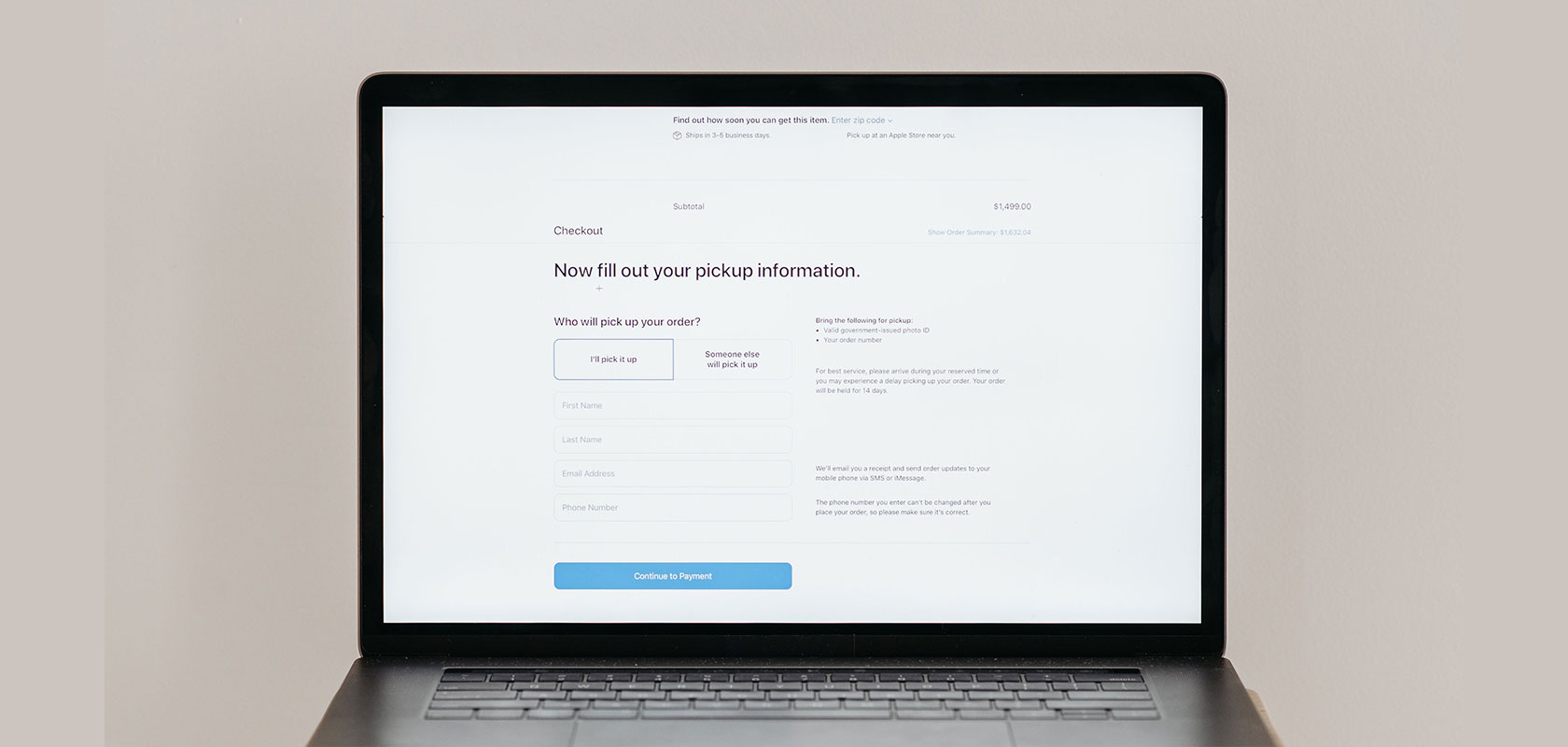
As convenient as a streamlined checkout may be, Shop Pay alone does not meet all the needs of different customer groups and markets. A well-thought-out payment strategy should therefore include not only fast checkout options but also the payment methods your target audience expects.
B2B and corporate customers: In B2B business, simplified checkout processes are often insufficient. For example, business customers may require additional billing information, a VAT ID number, separate shipping and billing addresses, or customized approval processes.
New customers and varying payment preferences: Not every customer uses Shop Pay or wants to save their payment information for future purchases. Especially with new customers, it can therefore be wise to offer established alternative payment methods in parallel and to provide transparent information about the security of the respective payment processing.
International target markets: Payment preferences vary from market to market. In the Netherlands, for example, iDEAL is widely used; in Belgium, Bancontact; and in Austria, EPS. Those who sell internationally should therefore consider local payment methods relevant to the respective target market in addition to Shop Pay.
Latori Expert Tip: Use Shop Pay as a fast checkout option, but don't make it the only option. The best payment strategy combines a seamless checkout experience with the payment methods your customers actually expect.
Reading tip: Would you like to customize your checkout process? Find out here how to customize your Shopify checkout and tailor it to your target audience.
Store Pay Shopify: Use Shop Pay as a merchant
If Shop Pay is available for your store, you can enable the feature directly from the Shopify admin.
Enable Shop Pay in Shopify
In the Shopify admin, go to Settings → Payments.
In the Shopify Payments section, click Manage.
In the Shop Pay section, enable the corresponding option.
Click Save.
Once enabled, eligible customers can use Shop Pay as an expedited checkout option.
Depending on the requirements, enabling this feature may also make functions such as “Sell with Shop” and “Sign in with Shop” available for your store.
Under certain conditions, Shop Pay can also be used with external payment gateways. The available options depend on the specific gateway and the applicable requirements.
Conclusion
Customers expect a smooth shopping experience. So it pays to have a system that allows for an optimized checkout.
Another benefit for you is that the tool drives sales. Because the easier it is for a consumer to complete transactions, the more likely it is that they will buy from a retailer again.
Disclaimer: This article is for informational purposes only and is not a substitute for legal advice. Please consult independent legal counsel for this purpose.
Would you also like to enable a smooth checkout for your customers and are planning a migration to Shopify? The Latori team will be happy to support you with your request. Contact us.
Frequently asked questions about Shop Pay
How can you pay with Shop Pay?
Depending on the market and requirements, customers can pay using the payment methods available through Shop Pay. Verification can be done, for example, using a passkey or a six-digit code sent via text message or email.
How much does Shop Pay cost?
Shop Pay is included in Shopify Payments as an expedited checkout option. Transactions are processed according to the applicable Shopify Payments terms and conditions.
Shop Pay - What is it?
Shop Pay is a fast checkout solution from Shopify. Customers can save their contact, shipping, and payment information and pay faster on future purchases.
Is Shop Pay secure?
Yes. Shop Pay protects stored payment and customer data through encryption and stores it on Shopify’s PCI-compliant servers. During the payment process, additional verification may be required via a passkey or a one-time six-digit code sent via text message or email.
This protects sensitive data while making the checkout process faster and more convenient.
What are the benefits of Shop Pay?
Among other things, Shop Pay offers a faster checkout process, convenient data storage, and seamless integration into the Shopify ecosystem. A simplified checkout process can also help reduce shopping cart abandonment.
How do I enable Shop Pay in Shopify?
Shop Pay is enabled via Shopify Admin → Settings → Payments → Shopify Payments → Manage. There, you can enable Shop Pay and then save your changes.
Can I offer PayPal or Klarna through Shop Pay?
PayPal and Klarna may be available in the regular Shopify checkout, but they are not currently available as payment methods within Shop Pay. The payment methods customers can use depend on the market and specific requirements.
What payment methods does Shop Pay support in Germany?
In Germany, card payments are currently available through Shop Pay. PayPal and Klarna cannot be used through Shop Pay, even if they are enabled in the standard Shopify Checkout. Which payment methods are available generally depends on the market and the specific requirements.
